Why SPAN Ports Fail Under Load and What to Do Instead
Switch Port Analyzer (SPAN) ports seem like the obvious choice for network monitoring. They're built into the switches you already own, they don't require additional hardware, and they're relatively quick to configure. For many teams, the assumption is simple: configure a mirror port, point your monitoring tool at it, and you're done.
The problem is that SPAN ports weren't designed to be a reliable, always-on monitoring solution. They were designed for occasional diagnostics. Under normal production traffic conditions, and especially during the high-load moments when monitoring matters most, SPAN ports routinely drop packets, degrade switch performance, and deliver an incomplete picture of your network. Your monitoring and security tools only see a fraction of the traffic they need.
The good news is that purpose-built network TAPs exist specifically to solve this problem. They provide a complete, accurate copy of all traffic without impacting switch performance or dropping packets under load. This article explains exactly why SPAN ports fail under pressure and how a TAP-based visibility architecture delivers the reliable access your tools need.
How SPAN Ports Actually Work
Before examining the failure modes, it helps to understand what a SPAN port actually does. When you configure a SPAN session on a managed switch, you're instructing the switch's internal processor to copy packets from one or more source ports and forward those copies to a designated destination port, where your monitoring tool connects.
This sounds straightforward, but the key word is "copy." The switch must process every packet twice: once for normal forwarding and once to generate the mirror copy. That extra work competes directly with the switch's primary job of moving production traffic.
SPAN Relies on Available Processor Resources
The switch's CPU and internal fabric handle SPAN mirroring as a secondary task. When switch resources are under pressure from high traffic volumes, the processor prioritizes production forwarding. SPAN copies are the first thing to be deprioritized or discarded when the internal fabric becomes congested.
This is not a bug or a configuration error. It's how switches are designed. The architecture assumes that mirroring is a convenience feature, not a mission-critical function. Your network monitoring tools, however, have no way to know when packets have been silently dropped from their feed.
The Oversubscription Problem
Most managed switches have internal backplanes that can become oversubscribed when multiple ports are running at or near capacity. SPAN sessions add to this internal traffic load because mirrored packets must traverse the switch fabric to reach the destination port.
If you're mirroring several source ports simultaneously, the internal bandwidth demand can be significant. When the backplane reaches capacity, the switch drops mirror traffic first to protect production flows. The result is silent packet loss on your monitoring feed with no notification to your connected tools.
Five Ways SPAN Ports Fail Under Load
SPAN port failures aren't always obvious. Monitoring tools often continue to run and report results even when their traffic feed is incomplete. Understanding the specific failure modes helps you recognize when SPAN is compromising your visibility.
1. Packet Drops During Peak Traffic
The most common failure mode is straightforward: when traffic volumes spike, SPAN drops packets. This happens because the switch allocates internal buffer space to production traffic first. Mirror copies that can't be buffered in time are discarded.
The problem with this failure mode is timing. Traffic spikes often coincide with the events you most want to capture, including security incidents, application slowdowns, and user complaints about performance. The monitoring data is most unreliable precisely when you need it to be most accurate.
2. Short Frame and Error Packet Loss
SPAN ports consistently fail to forward certain packet types, including:
- Short frames: Packets below the minimum Ethernet frame size (runts) are often discarded by SPAN rather than forwarded to the monitoring port
- Physical layer errors: Packets with Cyclic Redundancy Check (CRC) errors, corrupted headers, or signal issues are frequently dropped instead of mirrored
- Malformed packets: Traffic that doesn't conform to standard protocol formats may not be forwarded by the SPAN process
- Jumbo frames: Oversized frames can cause issues depending on switch configuration and buffer availability
These dropped packet types are actually extremely valuable for security and diagnostic work. Malformed packets and error traffic can indicate attacks, misconfigured devices, or failing hardware. SPAN's tendency to filter them out creates blind spots in exactly the traffic that deserves the most scrutiny.
3. Duplex Mismatch and Half-Duplex Monitoring
A SPAN session on a full-duplex link typically requires two source ports to capture both transmit and receive traffic. When this is misconfigured, or when port resources are constrained, you may only receive one direction of traffic. This creates asymmetric visibility where your monitoring tool can see traffic flowing one way but not the other.
For Intrusion Detection Systems (IDS) and other stateful analysis tools, one-directional traffic is not just incomplete, it's actively misleading. A tool that can see requests but not responses, or vice versa, will generate incorrect alerts and miss genuine threats.
4. Switch Performance Degradation
SPAN doesn't just affect your monitoring feed. It affects your production network. The additional load placed on the switch's internal processor and backplane by the mirroring process can cause measurable performance degradation on production ports.
The impact varies by switch model and traffic volume, but organizations running multiple active SPAN sessions on busy switches often observe:
- Increased latency on production ports as the switch processor handles mirror copy tasks
- Reduced throughput on the switch fabric when internal bandwidth is shared with mirrored traffic
- CPU spikes on the switch management plane, potentially affecting routing protocols and management responsiveness
- Instability under sustained load, particularly on lower-end switches not designed for continuous mirroring
This creates a problematic dynamic. You're degrading the performance of your production network in exchange for a monitoring feed that's still unreliable.
5. SPAN Port Contention and Tool Conflicts
Most switches support a limited number of simultaneous SPAN sessions, often just one or two. When multiple teams need access to traffic on the same switch, whether for security monitoring, performance analysis, or troubleshooting, they compete for the same limited SPAN resources.
This SPAN port contention means that adding a new monitoring or security tool often requires removing or reconfiguring an existing one. Your Intrusion Detection System and your Network Performance Monitor can't both have reliable access to the same traffic simultaneously without complex workarounds that still rely on unreliable mirroring infrastructure.
Why the Monitoring Gaps Matter
Incomplete traffic visibility doesn't just frustrate your IT team. It creates real security and operational risk. Security tools can only detect threats they can observe. When SPAN drops packets, attacks that rely on short bursts of malicious traffic, fragmented packets, or traffic during busy periods can pass through undetected.
The Problem for Security Teams
Consider how a typical lateral movement attack plays out. After an initial compromise, an attacker moves through the network using short, targeted connection attempts to probe internal hosts. These flows are exactly the kind of traffic SPAN drops: brief, low-volume bursts during periods of higher background traffic. An IDS that's missing even a small percentage of these packets may never assemble the pattern needed to generate an alert.
The same problem affects forensic investigations. When a security incident does occur and your team needs to reconstruct exactly what happened, gaps in packet capture data can make it impossible to establish a definitive timeline or identify the full scope of the compromise. If your monitoring infrastructure was silently dropping packets before and during the incident, your forensic record is incomplete.
The Problem for Performance Teams
For network performance monitoring, dropped packets create measurement errors that are difficult to distinguish from genuine network problems. Your performance monitoring tool might report elevated packet loss on a link when the loss is actually occurring inside the SPAN infrastructure, not on the network segment being monitored. This sends your team chasing phantom problems on links that are actually performing perfectly.
The Problem for Compliance
Many regulatory frameworks require organizations to demonstrate complete, accurate capture of network traffic for audit purposes. This includes standards governing finance, healthcare, critical infrastructure, and others. SPAN ports can't provide a legally defensible, verifiable record of complete traffic capture because their architecture explicitly allows for packet drops under load. If you need to prove compliance, you need a monitoring infrastructure that guarantees complete capture.
What TAPs Do Differently
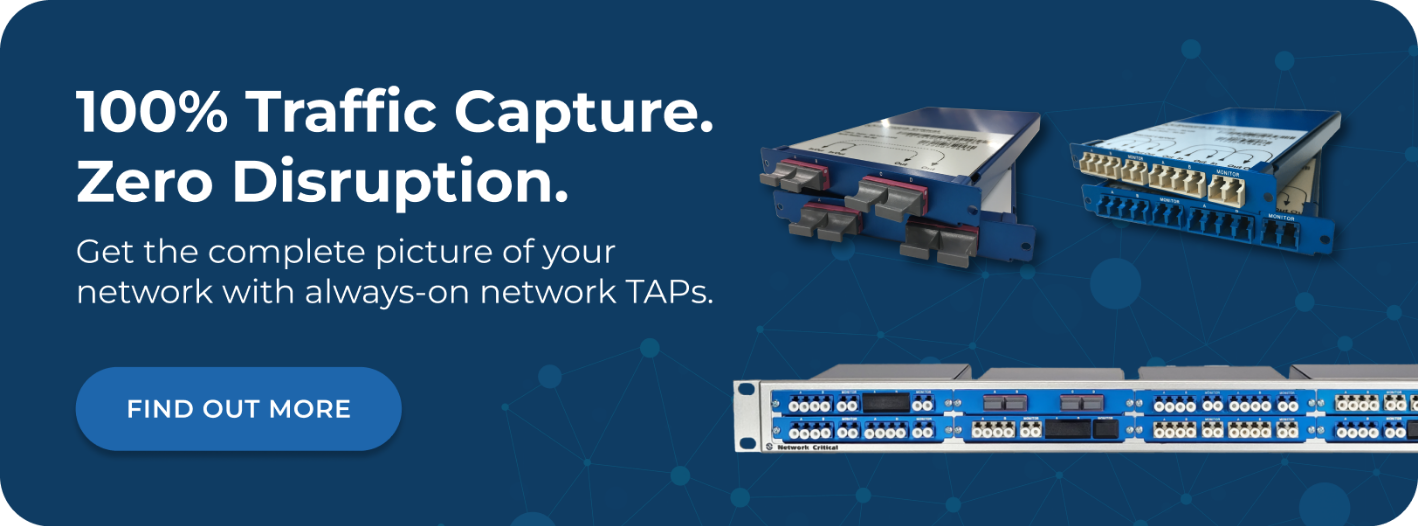
A network Test Access Point (TAP) solves the fundamental architectural problem that makes SPAN unreliable. Instead of relying on the switch processor to copy traffic as a secondary task, a TAP is purpose-built hardware installed directly on a network link. It passively splits the optical signal or copies the electrical signal from the cable itself, creating a complete, independent copy of all traffic without involving the switch at all.
Passive Fiber TAPs Operate Without Power or Processing
Passive fiber TAPs work by splitting the optical signal traveling through a fiber link. Using internal mirrors, they divert a portion of the light from the main fiber strand to a monitoring port while allowing the rest to continue to the live network endpoint. Because there are no active electronics involved in the splitting process, passive TAPs:
- Require zero power for the core splitting function, eliminating dependence on rack power availability
- Introduce zero latency to the monitored link, as light travels straight through
- Create no point of failure on the production link, since there are no electronics that can fail
- Capture 100% of traffic including errors, malformed frames, and short packets that SPAN would discard
This means a passive fiber TAP installed on a 10G link delivers every single packet to your monitoring tool, regardless of traffic volume, regardless of whether the switch is under load, and regardless of whether there are other monitoring sessions active elsewhere.
Active Ethernet TAPs Add Heartbeat Protection
For copper Ethernet links, active TAPs use electronics to regenerate the signal and copy it to the monitoring port. Modern active TAPs, such as those in the SmartNA series, include heartbeat technology that continuously checks the health of connected inline tools. If a connected security appliance fails or goes offline, the TAP automatically bypasses it to keep production traffic flowing. This is something SPAN ports can't do at all.
Active TAPs deliver the same completeness guarantee as passive fiber TAPs: all packets, all the time, with no dependency on switch resources.
Moving from SPAN to a TAP-Based Architecture
Replacing SPAN ports with TAPs doesn't mean simply swapping one device for another. A proper TAP-based visibility architecture also addresses the challenge of distributing traffic from multiple TAPs to multiple monitoring tools efficiently. That's where network packet brokers become essential.
Why You Need More Than Just TAPs
If you install TAPs across ten network links and connect a different monitoring tool to each TAP, you've solved the reliability problem but created a new management challenge. Each tool only sees traffic from one link. Your IDS can't correlate events across segments. Your performance monitor has fragmented views. As the network grows, the number of direct connections becomes unmanageable.
A network packet broker sits between your TAPs and your monitoring tools, collecting traffic from all your TAPs and distributing it intelligently to the right tools.
What a Packet Broker Adds to Your Visibility Architecture
Packet brokers apply intelligence to the traffic flow between TAPs and tools:
- Aggregation: Combine traffic from multiple TAPs into a single feed so tools see activity across the entire network
- Filtering: Send only relevant traffic to each tool so an IDS doesn't waste capacity processing backup replication traffic
- Load balancing: Distribute traffic across multiple instances of the same tool to scale performance
- Deduplication: Remove redundant packet copies that occur when traffic crosses multiple monitored links
- Protocol processing: Strip unnecessary headers, slice oversized packets, or mask sensitive payload fields before delivering to tools
The combination of TAPs and packet brokers gives you complete, reliable traffic capture at the link level, combined with intelligent, scalable distribution to your monitoring and security tools.
Building a Reliable Visibility Architecture Step by Step
Moving to a TAP-based architecture is a structured process. Here's how to approach it:
- Audit your current SPAN configuration: Identify all active SPAN sessions, what tools they feed, and which critical links currently have no monitoring at all
- Identify priority links: Focus first on links carrying the most sensitive traffic, highest volumes, or feeding security-critical tools like IDS
- Select TAP type by link media: Use passive fiber TAPs for fiber links and active Ethernet TAPs for copper links; consider bypass TAPs for links where inline security appliances are deployed
- Deploy a packet broker: Install a central packet broker to aggregate TAP feeds and distribute traffic to monitoring tools intelligently
- Configure filtering policies: Define which traffic each monitoring tool needs to receive, then configure the packet broker to enforce those policies
- Migrate tools off SPAN ports: Once your TAP infrastructure is validated, retire the SPAN sessions and reclaim switch processing capacity
- Expand incrementally: Add TAPs and packet broker capacity as you extend visibility to additional network segments
This structured approach lets you validate the new architecture on priority links before committing to a full rollout.
How to Choose the Right TAP Hardware
Not all TAPs are equivalent. Choosing the right device for each use case ensures you get the reliability and completeness you need.
Choosing Between Passive Fiber and Active Ethernet TAPs
The starting point is always the link media:
- Fiber links: Use passive fiber TAPs for simplicity, zero power dependency, and guaranteed completeness
- Copper links: Use active Ethernet TAPs with heartbeat protection for full-duplex visibility without affecting production traffic
- Inline security tools: Use bypass TAPs to protect network uptime if an inline appliance fails
Matching TAP Speed to Link Speed
TAPs must match the speed of the link they're monitoring. Mismatched speeds create bottlenecks or require buffering that can itself introduce packet loss. Network Critical's TAP portfolio covers speeds from 1Gbps to 100Gbps, ensuring you can match TAP hardware precisely to your network infrastructure.
Considering Modular vs. Standalone Deployments
For smaller environments or specific links, standalone TAPs provide a simple, low-cost solution. For data center deployments where you need to monitor many links from a central point, modular chassis-based systems such as the SmartNA-XL offer TAP and packet broker functionality in a single 1RU chassis, reducing rack space requirements and simplifying management.
Frequently Asked Questions
Can I use SPAN ports alongside TAPs?
Yes, and many organizations start this way. A common approach is to use TAPs for high-priority or high-volume links where reliability is critical, while retaining SPAN for lower-priority diagnostic work or legacy segments where installing a TAP isn't practical. The SmartNA-PortPlus can aggregate feeds from both TAPs and SPAN ports, letting you migrate at your own pace.
Does installing a TAP affect my production network?
Passive fiber TAPs have zero impact on production traffic. Because they split the optical signal passively, the live network path is completely unchanged. Active Ethernet TAPs add an inline regeneration stage but are designed to be transparent to the network with no measurable latency impact. In both cases, the TAP is architecturally isolated from the switch, so it cannot affect switch performance the way SPAN does.
How many tools can a single TAP feed?
A standalone TAP typically has one or two monitoring ports, limiting direct connections. When you add a packet broker to your architecture, that constraint disappears. The packet broker can distribute traffic from a single TAP to multiple tools simultaneously, and tools can be added or changed without altering the TAP configuration on the production link.
Are TAPs more expensive than SPAN ports?
There's a direct hardware cost for TAPs that SPAN ports don't have. However, SPAN ports carry hidden costs: the engineering time to configure and troubleshoot them, the switch resources they consume, and the cost of security incidents or compliance failures caused by incomplete monitoring. When you factor in total cost of ownership, TAPs typically deliver better value, particularly in high-compliance environments or networks where security monitoring is business-critical.
Does a TAP capture encrypted traffic?
Yes. TAPs operate at the physical and data link layers, capturing every bit on the wire regardless of whether the payload is encrypted. They don't decrypt traffic, but they ensure your decryption and analysis tools receive a complete copy of the encrypted stream with no packet loss. If you need to analyze encrypted content, that decryption happens at the analysis tool layer, not at the TAP.
How Network Critical Can Help
The visibility problems caused by SPAN port limitations are architectural, and they require an architectural solution. We've been providing purpose-built network visibility infrastructure to enterprises, service providers, and high-compliance industries since 1997, helping organizations move beyond unreliable SPAN-based monitoring to complete, accurate traffic capture.
Our network TAPs cover every deployment scenario, from passive fiber solutions for high-speed links to active Ethernet TAPs with automatic bypass protection. Every TAP we make is engineered to deliver 100% of traffic to your monitoring tools with zero packet loss and no impact on production network performance.
For organizations managing multiple monitoring tools across complex environments, the SmartNA-PortPlus family of packet brokers provides intelligent traffic aggregation, filtering, and distribution in a scalable 1RU platform. Managed through our intuitive Drag-n-Vu graphical interface, you can deploy and reconfigure your complete visibility architecture quickly and accurately, without manual CLI configuration on every device. Whether you're replacing a handful of SPAN sessions on a single switch or building enterprise-wide visibility infrastructure, we can help you design and deploy an architecture that delivers complete, reliable network monitoring.