What Is a Hybrid TAP and How Does It Work
Network teams have always faced a fundamental tension in visibility infrastructure: you need Network Test Access Points (TAPs) to copy packets off the wire, and you need packet brokers to aggregate, filter, and distribute that traffic to your monitoring tools. Traditionally, those were two separate devices. A hybrid TAP solves this by combining both functions into a single, compact platform, giving you complete traffic access and intelligent traffic management in one chassis.
If you're evaluating network visibility infrastructure, the hybrid TAP is worth understanding in detail. It changes how you design monitoring architectures, how many devices you need to manage, and how efficiently your security and performance tools operate. This article explains what a hybrid TAP is, how it works technically, when to use one, and what to look for when choosing a solution.
What Is a Hybrid TAP?
A hybrid TAP is a network device that combines the capabilities of a Network Packet Broker (NPB) with those of a Network Test Access Point (TAP) in a single unit. Rather than deploying a standalone TAP to copy traffic and a separate packet broker to process and distribute it, a hybrid TAP performs both roles from within one chassis.
The TAP side of the device connects directly to your live network links and captures a complete, bit-for-bit copy of all traffic passing across them. The packet broker side receives that copied traffic and applies intelligent processing, including aggregation from multiple ports, filtering by IP, protocol, or port, load balancing across multiple tools, and forwarding to specific monitoring or security tools.
Two Functions, One Device
To understand why this matters, it helps to understand what each component does independently:
- Network TAP: A passive or active tap point inserted into a network link. It creates an exact copy of all traffic, including errors, without affecting live network performance. Traffic is mirrored to monitoring ports.
- Network packet broker: A device that receives copied traffic from TAPs or SPAN ports and applies rules before forwarding it to tools. Functions include aggregation, filtering, deduplication, header stripping, payload masking, and load balancing.
- Hybrid TAP: Combines both into one platform with a shared chassis backplane, unified management interface, and hot-swappable TAP modules that feed directly into the packet broker engine.
This integration removes the need for a separate cable run between a standalone TAP and a downstream packet broker, simplifies your rack architecture, and reduces the number of management interfaces you're working with.
How Does a Hybrid TAP Work?
Understanding the internal workflow of a hybrid TAP helps clarify its advantages over separate-device architectures.
Step 1: Traffic Capture at the TAP Modules
The process begins at the TAP modules installed in the chassis. Depending on the module type, these connect to copper Ethernet links or fiber optic links and create a full-duplex copy of all passing traffic, including malformed packets and errors that SPAN ports often drop.
Hybrid TAP platforms typically support a range of interchangeable TAP module types:
- Passive fiber optic TAP modules: Connect to fiber links using optical splitters. They require no power and introduce zero latency or point of failure to the monitored link.
- Ethernet TAP modules: Connect to copper links and use powered circuitry to copy traffic. These include failsafe bypass capability, ensuring link continuity if the device loses power.
- Bypass TAP modules: Designed for inline security tool deployments. They use heartbeat signals to detect tool failure and automatically redirect traffic around a failed appliance, preventing downtime.
This modularity is a key characteristic of hybrid TAP design. You can populate a single chassis with different TAP module types to address multiple link types across your network, all managed from one interface.
Step 2: Traffic Processing Across the Chassis Backplane
Once traffic is copied at the TAP modules, it passes across the chassis backplane to the packet broker processing engine. This is the point at which the hybrid architecture delivers its core advantage: the traffic doesn't need to leave the device to be processed.
The backplane carries copied traffic between modules without throughput limitations, allowing the packet broker engine to receive aggregated feeds from multiple TAP modules simultaneously. This aggregation is one of the primary reasons organizations choose hybrid TAPs over separate TAP-and-broker architectures.
Step 3: Intelligent Traffic Processing
The packet broker engine applies configured rules to the aggregated traffic stream. Standard processing functions include:
- Aggregation: Combining traffic from multiple TAP modules into a single stream for delivery to a monitoring tool
- Filtering: Identifying and separating traffic by IP address range, protocol type, VLAN tag, or port number
- Load balancing: Distributing traffic across multiple instances of the same tool type using hash-based or round-robin algorithms
- Packet slicing: Truncating packets to remove payload content that a tool doesn't need, reducing tool workload
- Header stripping: Removing tunnel headers such as VXLAN or MPLS before forwarding to tools that don't understand them
- Payload masking: Obscuring sensitive data fields within packet payloads before they reach monitoring tools
Advanced hybrid TAPs also support application-layer visibility, processing traffic at Layer 7 to identify specific application protocols for finer-grained filtering and distribution.
Step 4: Targeted Distribution to Monitoring Tools
After processing, the packet broker engine forwards traffic to the appropriate monitoring or security tools connected to the chassis output ports. This targeted distribution ensures each tool receives only the traffic relevant to its function.
A Security Information and Event Management (SIEM) platform might receive all traffic from a specific subnet. An Intrusion Detection System (IDS) might receive only external-facing traffic filtered by suspicious port ranges. A packet capture appliance might receive a full unfiltered copy while a performance monitor receives only application-layer traffic. The hybrid TAP routes each stream independently, and all of this happens within a single 1RU or 2RU chassis.
Why Use a Hybrid TAP Instead of Separate Devices?
Organizations with simpler networks sometimes use standalone TAPs feeding directly into tools. As networks grow and tool estates expand, this approach creates real operational problems.
The Problem with Direct TAP-to-Tool Connections
Connecting TAPs directly to monitoring tools works when you have one TAP and one tool. It breaks down quickly as you add links, tools, and network segments.
- Tool overload: A single TAP feeding all traffic to a single tool overwhelms the tool with data it doesn't need, degrading its performance and increasing false positive rates.
- Link multiplication: With multiple network links and multiple tools, direct connections create an unmanageable cabling topology that's difficult to change and impossible to scale.
- SPAN port dependency: Many organizations supplement TAPs with SPAN ports. Directly connected tools must be reconfigured every time SPAN port assignments change.
- No traffic optimization: Without a packet broker in the chain, tools receive unfiltered, unoptimized traffic, leading to dropped packets and missed detections.
The Problem with Separate TAP and Packet Broker Devices
Using a standalone TAP followed by a separate packet broker solves the optimization problem but introduces its own challenges:
- Additional rack space: Two devices per visibility point consume more rack real estate in already-constrained data center environments.
- Additional cabling: Traffic must traverse a physical cable run between the TAP output and the packet broker input, adding complexity and potential failure points.
- Multiple management interfaces: Each device requires independent management, configuration, and firmware management, increasing operational overhead.
- Higher procurement cost: Two separate platforms mean two separate purchase orders, support contracts, and replacement cycles.
The Hybrid TAP Advantage
A hybrid TAP addresses both sets of problems. You get complete traffic capture from the TAP modules and full packet broker processing capability within one managed platform. The result is a cleaner architecture with fewer failure points, less rack space consumed, and a single management interface covering the entire visibility function.
This efficiency is especially valuable in remote offices, branch locations, and edge deployments where rack space is limited and dedicated IT staff may not be present.
What Traffic Processing Can a Hybrid TAP Perform?
The packet broker capabilities built into a hybrid TAP determine how effectively you can route traffic to your tools. Not all hybrid TAPs offer the same depth of processing.
Aggregation
Aggregation combines traffic from multiple TAP modules or SPAN ports into a single output stream. This allows a single monitoring tool to receive consolidated traffic from multiple network segments without requiring multiple tool instances or direct connections to each segment.
For example, a hybrid TAP might aggregate traffic from three separate 10G links and deliver a combined feed to a single packet capture appliance. Without aggregation, you'd need three separate tool ports or three separate appliance licenses.
Filtering
Filtering reduces the volume of traffic each tool receives by applying rules that match specific traffic characteristics:
- IP-based filtering: Forward traffic only from specific source or destination IP ranges
- Protocol filtering: Separate TCP, UDP, ICMP, and other protocol traffic for specialized tools
- Port-based filtering: Isolate traffic for specific applications or services by port number
- VLAN filtering: Separate traffic from specific VLANs before distribution
- Application-layer filtering: Identify specific application protocols for granular distribution to relevant tools
Effective filtering directly improves tool performance. Security tools operate more accurately when they receive targeted traffic rather than a raw firehose of everything on the wire.
Load Balancing
Load balancing distributes traffic evenly across multiple instances of the same tool type. This is important for high-volume links where a single tool instance would be overwhelmed by the traffic volume.
A hybrid TAP with load balancing capability can hash traffic using multiple algorithms, ensuring related sessions stay together on the same tool instance while distributing total volume evenly. This is essential for stateful security tools such as Intrusion Detection Systems (IDS) that need to see both directions of a session on the same appliance.
PacketPro Advanced Manipulation
Higher-specification hybrid TAPs support advanced packet manipulation functions beyond basic filtering and distribution:
- Packet slicing: Truncates each packet to a configured byte length, removing payload content that monitoring tools don't require. This reduces tool storage requirements and processing overhead.
- Header stripping: Removes encapsulation headers from tunneled traffic (VXLAN, GRE, MPLS) so that downstream tools receive clean inner traffic they can actually process.
- Payload masking: Masks specific byte ranges within packet payloads, allowing sensitive data such as payment card numbers or personal details to be obscured before traffic reaches monitoring tools that don't need plaintext access to that data.
TAP Module Types in a Hybrid TAP Chassis
The flexibility of a hybrid TAP architecture comes largely from its modular design. Different TAP module types address different link technologies and monitoring requirements.
Passive Fiber Optic TAP Modules
Passive fiber TAPs use optical splitters to copy light from fiber links. They require no electrical power, introduce no latency, and create no point of failure on the monitored link. If the TAP module or the entire chassis loses power, the live network link is completely unaffected.
These modules are ideal for monitoring high-speed fiber backbone links in data centers and service provider environments, where any impact on the live link is unacceptable.
Active Ethernet TAP Modules
Ethernet TAPs use active electronics to copy traffic from copper links. They include failsafe circuitry that defaults to a bypass state if power is lost, preventing the TAP from becoming a point of failure on the copper link. This makes them safe for deployment on production copper links where link continuity is critical.
Ethernet modules support full-duplex traffic capture including errors, providing complete visibility into copper network segments that passive optical technology can't address.
Bypass TAP Modules
Bypass TAPs support inline security tool deployments. Unlike out-of-band TAPs that simply copy traffic, bypass modules sit in the live traffic path alongside an inline security appliance such as an Intrusion Prevention System (IPS) or next-generation firewall.
The bypass module continuously sends heartbeat signals to the inline tool. If the tool stops responding due to failure, overload, or maintenance, the bypass module automatically redirects live traffic around it, ensuring network continuity. When the tool recovers, traffic is seamlessly reintroduced without disruption.
Hybrid TAP Deployment Scenarios
Hybrid TAPs are versatile enough to address multiple deployment contexts. The scenarios below illustrate where they deliver the most value.
Data Center Core Monitoring
In a data center, a hybrid TAP can be installed at core switch interconnects to provide visibility across the primary traffic paths. TAP modules capture full-duplex traffic from multiple fiber links, while the packet broker engine distributes relevant traffic streams to SIEM platforms, IDS, network performance monitors, and Application Performance Monitoring (APM) tools.
All of this happens from within a compact 1RU or 2RU chassis, leaving the majority of rack space available for production infrastructure.
Multi-Site Monitoring from a Central Location
Some hybrid TAP platforms support Generic Routing Encapsulation (GRE) tunneling, allowing traffic captured at remote sites to be forwarded over the IP network to a centralized monitoring location. This enables a single tool estate to monitor traffic from multiple geographically distributed sites without deploying full tool stacks at each location.
This is particularly valuable for organizations with branch offices or remote data centers where maintaining separate monitoring infrastructure is cost-prohibitive.
Inline Security Tool Protection
For organizations deploying inline security tools such as IPS appliances, next-generation firewalls, or Data Loss Prevention (DLP) systems, bypass TAP modules within the hybrid chassis provide automatic failover. The inline tool receives its traffic feed from the hybrid TAP, with the bypass module continuously monitoring tool health. If the tool fails, traffic continues to flow around it, preserving network uptime while the tool is restored.
Edge and Branch Office Deployments
The compact form factor of hybrid TAP platforms makes them well suited to edge deployments where rack space is limited. A single 1RU hybrid TAP chassis can provide complete visibility for a branch office network, capturing traffic from multiple links and forwarding relevant streams to centralized monitoring tools over the WAN.
Key Features to Look for in a Hybrid TAP
Not all hybrid TAP solutions are equivalent. When evaluating options, prioritize these capabilities:
- Hot-swappable TAP modules: The ability to add, replace, or reconfigure TAP modules without powering down the chassis or disrupting live traffic. This is critical for evolving network requirements and maintenance without downtime.
- Non-blocking backplane: A chassis backplane that can carry the full combined traffic load from all installed TAP modules without bottlenecking. Look for line-rate throughput with no packet loss.
- Module variety: Support for passive fiber, active Ethernet, and bypass TAP modules in the same chassis. Mixed environments require mixed module support.
- Advanced filtering capability: IP, protocol, port, and VLAN filtering as a minimum, with application-layer filtering for more demanding deployments.
- Load balancing algorithms: Multiple load balancing algorithms (hash-based, round-robin) for distributing traffic across tool farms.
- Dual redundant power supplies: Hot-swappable power supplies that allow one PSU to be replaced without affecting chassis operation.
- Unified management interface: A single management plane covering all TAP modules and packet broker functions, accessible via web Graphical User Interface (GUI) and Command-Line Interface (CLI).
- Scalability: The ability to add chassis units or expand port counts as the network grows, without replacing the core platform.
How Hybrid TAPs Differ from Standalone TAPs and Standalone Packet Brokers
Knowing when to use a hybrid TAP versus a dedicated standalone TAP or a standalone packet broker helps you choose the right architecture for your environment.
When a Standalone TAP Is Sufficient
A standalone TAP is appropriate when you have a single link to monitor, a single tool to feed, and no need for traffic processing or distribution. Simple out-of-band monitoring deployments with one tool per link can use standalone TAPs cost-effectively without requiring packet broker capability.
When a Standalone Packet Broker Makes Sense
A standalone packet broker (without integrated TAP modules) makes sense when you already have existing TAPs deployed and need a centralized aggregation and distribution point for traffic from multiple sources. In high-density environments with many existing standalone TAPs, a dedicated network packet broker may offer greater port density for aggregation than a hybrid chassis.
When a Hybrid TAP Is the Right Choice
A hybrid TAP is the right choice when you need:
- TAP access on multiple links alongside packet broker processing
- A compact, single-chassis solution with minimal rack footprint
- Modular flexibility to address mixed link types (fiber and copper)
- Simplified management with a single interface for both functions
- Lower total cost compared to procuring and managing separate TAP and broker platforms
- Edge or branch office deployments where space and management overhead are constrained
Frequently Asked Questions
What Is the Difference Between a TAP and a Hybrid TAP?
A standalone TAP only copies traffic from a link and delivers that copy to a monitoring port. It doesn't filter, aggregate, or distribute traffic to multiple tools. A hybrid TAP includes all of those packet broker functions alongside the TAP function in a single chassis. It can copy traffic from multiple links, process it, and deliver filtered, optimized streams to multiple monitoring tools simultaneously.
Can a Hybrid TAP Affect Live Network Traffic?
No. The TAP function in a hybrid TAP creates a copy of traffic; it does not intercept or modify the live traffic stream. Passive fiber modules use optical splitters that are entirely transparent to the live link. Active Ethernet modules include failsafe circuitry that bypasses the TAP if power is lost. The packet broker processing happens on the copied traffic only, with no impact on live network performance.
What Network Speeds Do Hybrid TAPs Support?
Hybrid TAP platforms cover a wide speed range depending on the chassis and modules installed. Entry-level platforms support 1G links. Mid-range platforms extend to 10G and 40G. High-performance platforms in the SmartNA family support speeds from 1G through to 100G and beyond, depending on the specific model selected.
Do Hybrid TAPs Work with Any Monitoring Tool?
Yes. Hybrid TAPs are vendor-agnostic on the tool side. They deliver standard Ethernet traffic to tool ports, which means they're compatible with protocol analyzers, IDS/IPS platforms, SIEM systems, APM tools, packet capture appliances, and any other monitoring or security tool that accepts a standard network feed. Most hybrid TAP platforms are tested for compatibility with major monitoring tool vendors.
How Is a Hybrid TAP Managed?
Leading hybrid TAP platforms are managed through a web-based GUI that provides intuitive drag-and-drop traffic mapping, alongside a CLI for scripted configuration and integration into network management workflows. Some platforms also support Simple Network Management Protocol (SNMP) integration for alerting and monitoring from existing Network Management Systems (NMS).
How Network Critical Can Help
Choosing the right hybrid TAP platform requires matching chassis capacity, module types, and packet broker features to your specific network environment and tool estate. Network Critical has designed and manufactured hybrid TAP solutions since 1997, with a product range that spans entry-level 1G deployments through to 400G data center and carrier environments.
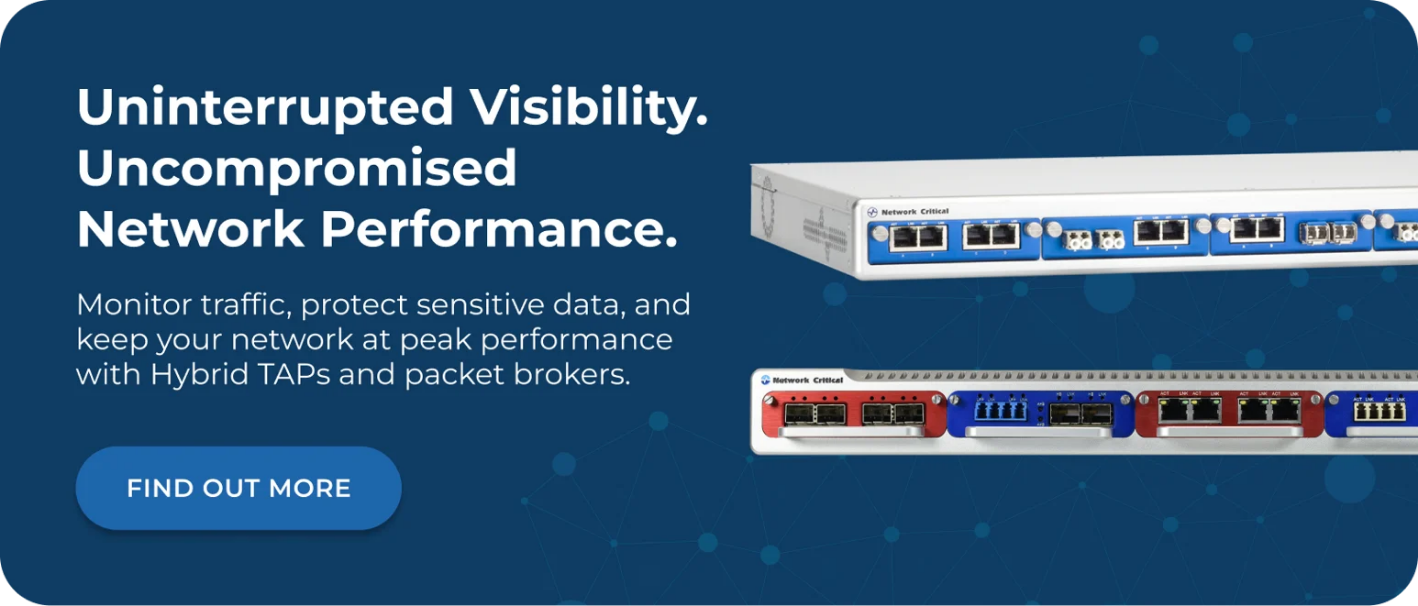
Our SmartNA platform is our entry-level hybrid TAP chassis, supporting modular 1G deployments with hot-swappable passive fiber, Ethernet, and bypass TAP modules in a compact 1RU or 2RU form factor. It's built for organizations that need cost-effective hybrid visibility without sacrificing flexibility or functionality. The SmartNA-XL extends this to 1G/10G/40G environments, adding PacketPro advanced packet manipulation, GRE tunnel support for multi-site monitoring, and dual hot-swappable power supplies for maximum resilience.
For enterprises and service providers operating at higher speeds, the SmartNA-PortPlus family scales from 1G to 100G with a non-blocking 1.8 Tbps architecture, and the SmartNA-PortPlus HyperCore pushes to 400G with a 25.6 Tbps backplane in a single 1RU chassis. All platforms are managed through our Drag-n-Vu interface, providing intuitive single-pane visibility management with drag-and-drop traffic mapping and real-time dashboards.
If you're building or expanding your network visibility architecture, our team can help you design a hybrid TAP deployment that delivers complete traffic coverage while maximizing the performance of every monitoring and security tool in your environment.