Network Performance Testing: The Case for TAPs
When you run a network performance test, the accuracy of your results depends entirely on the accuracy of the data you collect. If your access method drops packets, skews timestamps, or introduces its own latency into the measurement, your results are compromised before analysis even begins. That's the core problem with using SPAN ports for performance testing, and it's why network TAPs have become the access method of choice for engineers who need results they can trust.
Performance testing covers a wide range of activities, from baseline measurements and capacity planning to SLA validation, troubleshooting, and pre/post-change verification. All of these depend on capturing traffic exactly as it flows across the wire, with no modifications, no omissions, and no interference with the live network. TAPs deliver this by design. SPAN ports, for all their convenience, fall short in ways that matter the most when performance is under scrutiny.
This article explains why TAPs are the right foundation for network performance testing, how they work, and what to consider when deploying them in your environment.
Why Your Access Method Shapes Your Test Results
The Data Collection Problem in Performance Testing
Performance testing generates meaningful results only when the underlying traffic data is complete and accurate. You're measuring real-world behavior: latency, throughput, packet loss, jitter, retransmissions, error rates. Each of these metrics requires a faithful copy of every packet, including timing data, errors, and edge cases. Introduce any distortion at the collection layer, and your measurements reflect the limitations of your access method rather than the true behavior of the network.
This is a problem that's easy to overlook during test planning. Teams select a SPAN port because it's convenient and doesn't require additional hardware. The test runs, numbers come out, and conclusions are drawn. But if the access method dropped packets under load, added processing delay, or missed malformed frames, those conclusions are based on incomplete data.
What Accurate Performance Data Actually Requires
For performance test data to be reliable, your traffic access method must meet several criteria:
- 100% packet capture: Every packet traversing the link must be captured, including short frames, malformed packets, and errored frames that indicate network problems
- Full-duplex visibility: Send and receive streams must be captured independently on separate channels to accurately measure bidirectional traffic behavior
- Zero latency addition: The access method must not add delay to packets in the live network, which would distort latency measurements in the monitoring data
- No packet reordering: Captured packets must reflect the true sequence in which they arrived
- Error preservation: Corrupt or malformed packets must be forwarded to analysis tools rather than silently discarded
- No network impact: Collection must not consume switch CPU resources or generate additional internal traffic that affects the network being measured
TAPs are purpose-built to meet all of these requirements. SPAN ports, by their nature, struggle with several of them.
How SPAN Ports Undermine Performance Testing
The Packet Loss Problem
SPAN ports on managed switches operate by copying traffic within the switch's internal fabric and redirecting it to a designated monitoring port. This sounds straightforward, but the copy process competes with normal switching operations for internal resources. When the switch is under load, SPAN traffic is treated as lower priority. The result is dropped packets on the monitoring port during the exact high-traffic periods that performance testing is most concerned with.
This creates a particularly damaging blind spot. Your performance test may be designed to stress the network and observe behavior under load. But the SPAN port drops packets precisely when load is highest, leaving you with an incomplete picture of the congestion events, retransmissions, and errors you were trying to measure.
Timestamp and Sequencing Distortions
Beyond packet loss, SPAN ports can introduce subtle distortions in the data that affect measurement accuracy:
- Processing delay: Packets may be delayed before appearing on the SPAN port, making precise latency measurements unreliable
- Resequencing: Packets from multiple sources can arrive at the monitoring port out of order relative to their actual transmission sequence
- Frame modification: Some switches modify frames before mirroring them, stripping VLAN tags or altering other headers that are relevant to analysis
- Error filtering: Many switches discard errored frames rather than forwarding them to the SPAN port, removing precisely the data points that indicate network problems
SPAN Port Contention and Configuration Overhead
A single SPAN port can only mirror traffic to one destination in most switch implementations. As soon as a second tool needs access to the same traffic, you face a configuration conflict. Network teams often resolve this by running multiple SPAN sessions, which multiplies the internal traffic load and increases the risk of packet loss. In complex testing environments where several tools need simultaneous access to the same traffic, SPAN-based access becomes difficult to manage and increasingly unreliable.
How Network TAPs Work
The Fundamental Principle of Passive Access
A network Test Access Point (TAP) connects directly into the physical link between two network devices. Rather than copying traffic within a switch, the TAP splits or copies the optical or electrical signal at the physical layer. This happens passively, without any processing delay, packet modification, or interaction with the switch fabric.
For fiber links, passive fiber TAPs use optical splitters to divide the light signal. A portion of the light continues through the live link unchanged, and the remainder is directed to monitoring ports. For copper Ethernet links, active TAPs regenerate the signal and forward a complete copy to monitoring ports while maintaining the live connection.
Full-Duplex Capture on Separate Channels
TAPs capture transmit and receive streams independently on separate monitoring ports. This is fundamentally different from SPAN, which must multiplex bidirectional traffic onto a single monitoring port. With TAP-based access:
- The transmit stream and receive stream are always available separately
- Analysis tools can correlate the two streams accurately for precise round-trip latency measurements
- High-volume bidirectional traffic doesn't cause the two streams to compete for monitoring port bandwidth
- Packet capture tools receive a clean, unambiguous view of each direction of traffic
Zero Impact on the Live Network
Passive fiber TAPs have no active components in the signal path. They require no power to pass traffic, don't introduce processing delay, and cannot crash or fail in a way that interrupts the live link. This matters for performance testing because you can confidently measure the network's true behavior without worrying about whether the measurement apparatus itself is affecting results.
Active Ethernet TAPs do sit in the physical path, but they're designed with fail-safe mechanisms. Network Critical's Ethernet TAPs use Fastfail copper modules that maintain the live connection even in the event of a power failure, ensuring your test environment remains stable throughout extended test runs.
Types of TAPs for Performance Testing Environments
Passive Fiber TAPs
Passive fiber TAPs are the simplest and most reliable option for fiber optic links. They contain no active electronics and require no power source, making them inherently failure-proof in the signal path. Network Critical offers passive fiber TAPs across a range of speeds and connector types:
- 1G/10G multimode LC fiber TAPs: For standard enterprise fiber runs
- 1G/10G singlemode LC fiber TAPs: For longer-distance fiber links
- 40G/100G MPO TAPs: For high-speed backbone and data center connections
- 40G/100G BiDi TAPs: Purpose-built for Cisco bidirectional optical infrastructure
Because they use optical splitters rather than active electronics, passive TAPs capture every packet including errors, never modify frames, and don't introduce any measurable latency.
Active Ethernet TAPs
For copper Ethernet links, active TAPs regenerate the electrical signal and forward a complete copy to monitoring ports. They actively manage the connection, which enables additional features like heartbeat monitoring and automatic bypass. Network Critical's SmartNA modular platform includes Fastfail copper TAP modules that operate with no batteries, providing reliable fail-safe protection for the live link.
Active Ethernet TAPs are essential for copper 1G connections, which account for a significant portion of access-layer and inter-device links in most enterprise environments.
Hybrid TAP and Packet Broker Platforms
For complex performance testing environments with multiple tools and traffic sources, a combined TAP and network packet broker approach provides the most flexibility. The TAP handles passive traffic capture at the physical layer, while the packet broker aggregates traffic from multiple TAPs, filters relevant streams, and distributes them to the appropriate analysis tools.
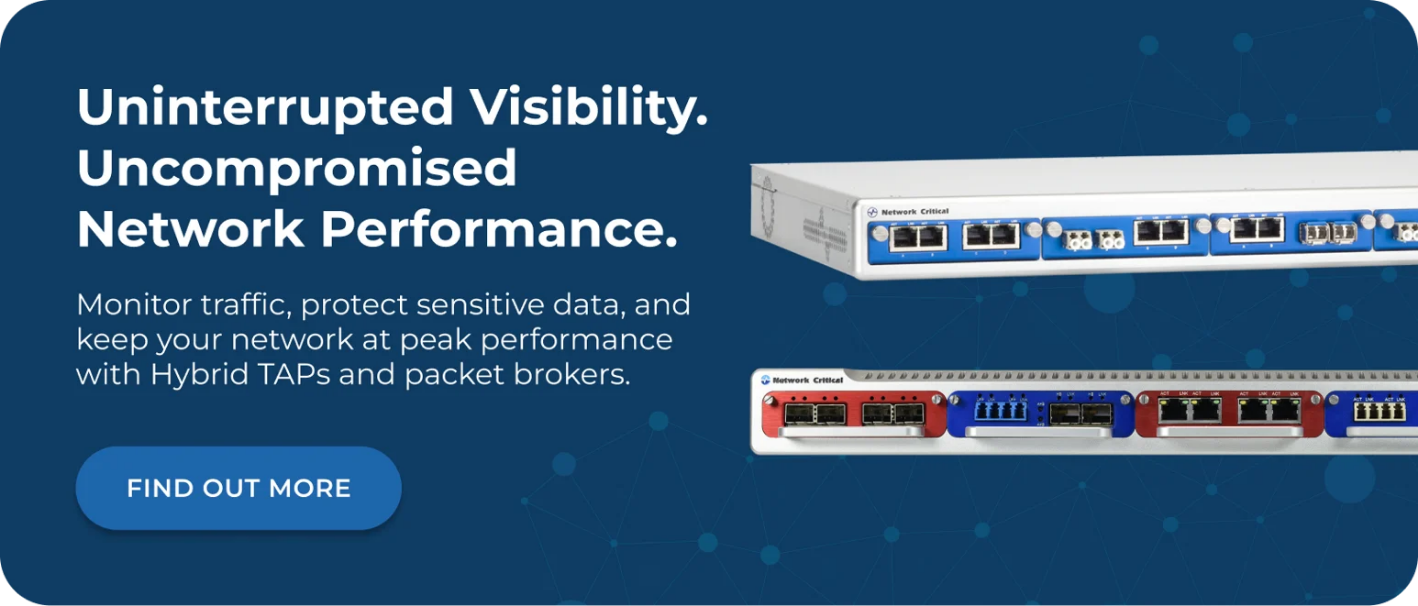
The SmartNA-XL integrates TAP and packet broker functionality in a single 1RU chassis, supporting 1G/10G/40G links with advanced features including aggregation, filtering, load balancing, and the Drag-n-Vu web interface for simplified configuration.
TAPs in Active Performance Testing Scenarios
Baseline Measurements and Capacity Planning
Accurate baseline measurements require sustained, uninterrupted packet capture over extended periods. TAPs are well-suited to this because they don't require switch configuration changes, don't consume switch resources, and can remain in place indefinitely without affecting network operations. You install the TAP once and have permanent, passive access to that link.
When you're building a traffic baseline for capacity planning, you need confidence that your data reflects actual traffic volumes. A SPAN port that drops packets during peak periods will produce a baseline that underrepresents peak demand, leading to capacity decisions based on understated requirements.
SLA Validation and Compliance Testing
Service-level agreement verification requires precise measurement of latency, jitter, and packet loss across specific paths. These measurements need to be legally and operationally defensible. TAPs provide a pure data stream that represents exactly what traversed the wire, without the risk of SPAN-induced distortion.
This matters particularly in regulated industries. Finance, healthcare, and government organizations use TAP-captured traffic for compliance reporting and audit purposes. Because TAPs operate independently from network endpoints and capture 100% of traffic including errors, they provide a verifiable record that SPAN-based capture cannot match.
Pre- and Post-Change Verification
Change management processes often include performance testing before and after infrastructure changes to confirm that network behavior hasn't degraded. TAPs simplify this process significantly. Once installed, they provide consistent access to the same physical link across both test phases. There's no risk of SPAN configuration drift between tests, no configuration changes needed on the switch, and no variation in monitoring behavior that could confuse before/after comparisons.
Troubleshooting and Root Cause Analysis
Performance degradation investigations require capturing the problematic traffic in its entirety, including the errors and edge cases that often reveal the cause. SPAN ports that silently discard errored frames remove exactly the data needed for root cause analysis. TAPs forward everything, including malformed frames, CRC errors, and short frames, giving your analysis tools the complete picture needed to identify the source of the problem.
Deploying TAPs for Performance Testing
Selecting the Right TAP for Your Link Type
Match the TAP type to the physical characteristics of the link you need to monitor:
- Identify the link speed: 1G, 10G, 40G, 100G, or 400G
- Identify the connector type: LC, MPO, RJ-45 copper
- Identify the fiber type: Singlemode or multimode, or BiDi for Cisco infrastructure
- Determine your tool requirements: How many tools need simultaneous access? Do you need aggregation?
- Consider the deployment location: Is this a critical path requiring fail-safe protection?
For environments with multiple links to monitor or multiple tools to feed, a modular platform like the SmartNA-PortPlus provides the scalability to grow your visibility infrastructure without adding complexity.
Planning Your Monitoring Port Architecture
TAPs produce two monitoring streams (one per direction of traffic). Consider how these streams will reach your analysis tools:
- Direct connection: Each monitoring port connects directly to a single tool. Simple, but doesn't scale well across many links and tools.
- Aggregation: A packet broker aggregates traffic from multiple TAPs into streams that match individual tool capacity, enabling one tool to monitor multiple links.
- Filtering and distribution: Advanced deployments use a packet broker to filter traffic and deliver only relevant subsets to each tool, optimizing tool performance and reducing noise in test data.
Managing Traffic at High Speeds
At 40G and above, line-rate traffic can overwhelm analysis tools not designed for those speeds. The SmartNA-PortPlus HyperCore addresses this with a non-blocking architecture supporting up to 25.6 Tbps system throughput and 256 ports, enabling high-speed TAP deployments to feed multiple tools simultaneously without packet loss in the visibility layer itself.
TAPs vs SPAN Ports: A Direct Comparison for Performance Testing
The differences between TAPs and SPAN ports become clear when evaluated against the requirements of accurate performance testing:
| Requirement | TAP | SPAN Port |
|---|---|---|
|
Packet capture completeness |
100%, including errors |
Drops packets under load |
|
Error frame capture |
Yes |
Often filtered out |
|
Full-duplex separation |
Yes, separate streams |
Multiplexed onto single port |
|
Switch resource impact |
None |
Consumes switch CPU and fabric |
|
Configuration required |
No |
Yes, per monitoring session |
|
Multi-tool access |
Via packet broker |
Limited, causes contention |
|
Timestamping accuracy |
Physical layer |
Switch processing introduces delay |
|
Fail-safe design |
Yes (passive models) |
N/A |
For performance testing specifically, the packet completeness and timestamping differences are the most significant. Any dropped packets or timing distortions in the data collection layer directly undermine the validity of the test results.
Frequently Asked Questions
Can TAPs Capture Traffic Errors That Indicate Network Problems?
Yes. TAPs capture all traffic that traverses the physical link, including CRC errors, short frames, and other malformed packets. This is one of their key advantages over SPAN ports for performance testing and troubleshooting. Many switches silently discard errored frames before they reach the SPAN port, which means problems signaled by those frames go undetected. TAPs don't filter or discard any traffic, so your analysis tools receive the complete picture.
Do Passive Fiber TAPs Affect the Light Budget on My Fiber Links?
Passive fiber TAPs do split a portion of the optical signal to the monitoring ports, which reduces signal strength on the live link. Network Critical designs its passive fiber TAPs with low insertion loss, as low as 1.3dB in some configurations, which is within the tolerance of standard fiber links in most deployments. For links already operating near the edge of their optical budget, your network team should calculate the available margin before installation.
How Many Tools Can Access Traffic from a Single TAP?
A single TAP produces two monitoring streams (transmit and receive). Each stream connects to one tool in a direct configuration. If you need multiple tools to access the same traffic simultaneously, a packet broker aggregates and distributes the TAP output to multiple destinations. The SmartNA-XL combines TAP and packet broker in a single chassis, making multi-tool access straightforward to deploy and manage.
Will Installing a TAP Require Network Downtime?
Inserting a TAP into an existing live link requires a brief outage on that specific link to physically install the device. This is typically a very short interruption. For new links or links where brief downtime can be scheduled, TAP installation is straightforward. Once installed, the TAP provides permanent passive access without any further disruption.
Do TAPs Require Configuration or Ongoing Maintenance?
Passive fiber TAPs require no configuration and have no active components to maintain. Active Ethernet TAPs require minimal setup, primarily the physical connection. If you're using a combined TAP and packet broker platform like the SmartNA series, the Drag-n-Vu web-based management interface simplifies configuration, port mapping, and ongoing management through an intuitive graphical interface.
How Network Critical Can Help
Getting performance test data right starts with getting access right. Our network TAP solutions provide the complete, unaltered packet capture that performance testing demands, across speeds from 1G to 400G on both fiber and copper links. We've been supplying network visibility infrastructure to enterprises, financial institutions, healthcare organizations, and government agencies since 1997, and our hardware is trusted in environments where accuracy is non-negotiable.
For environments where multiple tools need access to the same traffic, or where you're monitoring multiple links simultaneously, our SmartNA-PortPlus packet broker platforms extend TAP visibility across your entire monitoring and testing infrastructure. Aggregation, filtering, load balancing, and session-aware distribution ensure every tool receives exactly the traffic it needs, at line rate, with zero packet loss in the visibility layer.
Whether you're building a permanent performance monitoring infrastructure, setting up a dedicated testing environment, or replacing unreliable SPAN-based access with something you can trust, our team can help you design the right solution for your network. Reach out to discuss your requirements.