Top 7 Bypass TAPs for Inline Security Tool Deployments in 2026
Every inline security appliance — firewall, Intrusion Prevention System (IPS), web application firewall, or SSL/Transport Layer Security (TLS) decryptor — creates a potential single point of failure in your network. If one of those tools loses power, crashes, or needs maintenance, traffic stops and the link goes down. Bypass TAPs, also known as bypass switches, eliminate that risk. They sit between your network links and your inline tools, monitor tool health via heartbeat packets, and automatically redirect traffic around any failed or offline device — all in milliseconds, with zero impact on the production network.
As security stacks grow deeper and link speeds climb to 100G and beyond, choosing the right bypass TAP is a critical architectural decision. This guide compares seven verified vendors offering purpose-built bypass TAPs for inline security tool deployments in 2026, covering verified product specifications, key differentiators, and the scenarios where each solution performs best.
Bypass TAP Solutions at a Glance
| Vendor | Key Products | Max Speed |
|---|---|---|
|
SmartNA-XL, SmartNA-PortPlus bypass modules |
Up to 100G |
|
|
EdgeSafe Bypass TAPs, EdgeLens |
Up to 100G |
|
|
iBypass DUO, iBypass 100G, iBypass VHD |
Up to 100G |
|
|
GigaVUE HC Series (bypass combo modules) |
Up to 100G |
|
|
3808E, 3299 bypass switch |
Up to 100G |
|
|
IntellaView Optical Bypass TAP Blade |
Up to 100G |
|
|
PacketHawk Inline Bypass TAP |
Up to 100G |
1. Network Critical — SmartNA-XL and SmartNA-PortPlus
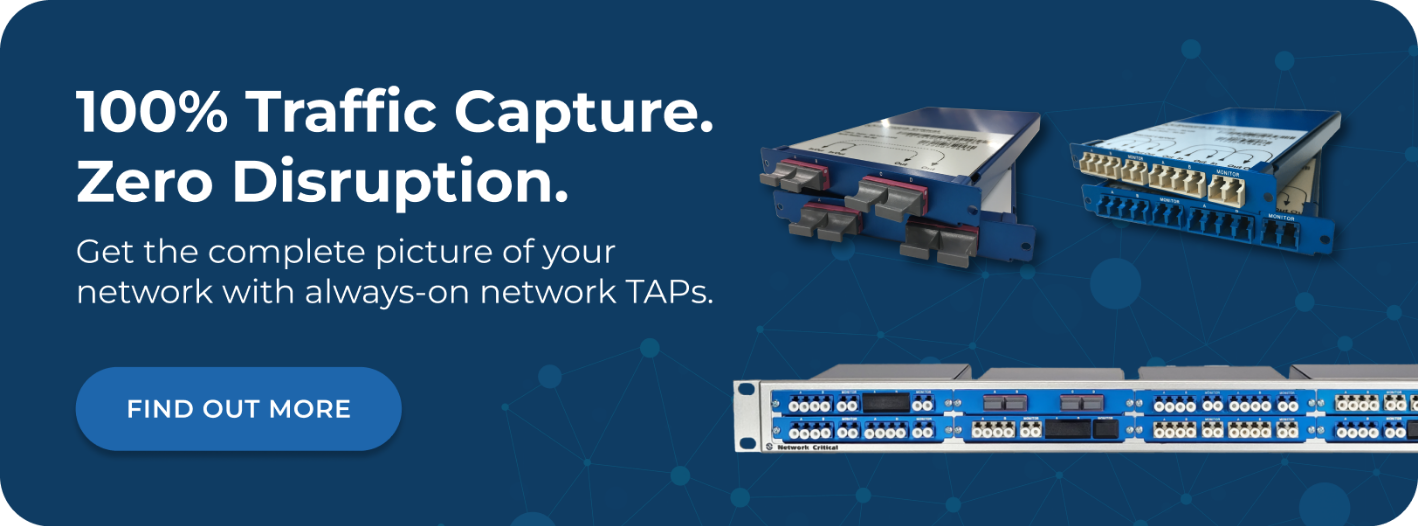
Network Critical delivers bypass protection as an integrated capability within its modular visibility platform, rather than as a standalone device. The SmartNA-XL supports 1G, 10G, and 40G links with hot-swappable bypass TAP modules covering both copper and fiber interfaces in a single 1RU chassis. Passive fiber, copper, and bypass modules coexist in the same five-slot system, with full aggregation, filtering, load balancing, packet slicing, and payload masking available alongside inline bypass protection.
This hybrid architecture means you don't need separate bypass switches, packet brokers, and TAPs. You connect your bypass TAP modules and your monitoring infrastructure in the same chassis, configured and managed through a single pane of glass via the Drag-n-Vu graphical user interface (GUI). The Drag-n-Vu patented rule-generation engine eliminates manual filter configuration errors and simplifies deployment for teams without deep packet broker expertise.
The SmartNA-PortPlus extends the platform to 100G, scaling from 48 to 194 ports across 1G, 10G, 25G, 40G, and 100G speeds. The scale-out architecture lets you expand capacity by adding units rather than replacing hardware — existing configurations, filters, and port maps remain intact across the expanded system. An open Representational State Transfer (REST) API enables automated configuration and integration with security orchestration platforms, including machine-driven policy changes from tools like Darktrace.
Bypass failover is hardware-enforced: in a power failure, relay circuitry closes automatically and traffic continues through the network link uninterrupted. There are no active electronics in the optical path on fiber bypass configurations, eliminating any dependency on processing or power for basic link continuity.
Proven results:
- Vodafone: Achieved 100% accurate traffic visibility on key links while reducing customer churn rates across a multi-generation European mobile network.
- BP: Enabled centralized monitoring of critical IT and Operational Technology (OT) systems across refinery buildings using passive fiber TAPs with zero power dependency.
- HSBC: Achieved zero latency on monitoring technologies for real-time financial updates across a global infrastructure spanning the UK to Hong Kong.
2. Garland Technology — EdgeSafe Bypass TAPs and EdgeLens
Garland Technology focuses exclusively on network visibility, and its bypass portfolio is among the most comprehensive available from any dedicated TAP vendor. The EdgeSafe series covers 1G through 100G links, with copper and fiber models and fail-safe technology that closes the relay and maintains the link in under 8 milliseconds during a power outage. The 100G EdgeSafe Bypass Modular Network TAP handles two inline 100G appliances with failover protection from a single 1RU device — supporting zero-downtime maintenance and tool sandboxing without scheduled windows.
The EdgeLens Inline Packet Broker combines bypass TAP functionality with advanced packet brokering in a 1/2U or 1U form factor. It provides bypass protection for inline tools, traffic aggregation, filtering, and load balancing, while simultaneously feeding out-of-band monitoring tools from the same tapped traffic. Tool chaining allows multiple inline security devices to process traffic in sequence from a single link. The "before and after" visibility feature lets teams send tapped traffic to forensic storage both upstream and downstream of an inline tool — useful for validating whether the tool is actually blocking threats it should.
Garland's filter-aware bypass is a differentiator: rather than passing all traffic to the inline tool, it can pre-filter traffic and send only the relevant subset for inspection, directly reducing the processing burden on inline appliances and extending the usable life of existing tools.
3. Keysight Technologies — iBypass Series
Keysight Technologies offers a purpose-built range of standalone bypass switches across copper and fiber, from 1G through 100G, under the iBypass product family. The iBypass DUO is the current flagship standalone model, with two independent management interfaces — an architecture that prevents a single management path failure from blocking bypass activation when the network most needs it. It supports active-standby and active-active tool configurations, fail-open and fail-close behavior in the event of tool failure, and built-in TAP, aggregation, and replication functions for feeding out-of-band tools simultaneously.
The iBypass 100G supports 40G and 100G fiber links in a modular chassis with two bays, each accommodating a bypass module for single-mode (LR4) or multi-mode (SR4) fiber. Active-standby configuration is available to redirect traffic to a secondary tool if the primary fails. The iBypass VHD delivers the highest density in the portfolio: up to 12 independent 10G/1G bypass switches in 1RU, with pre-configured heartbeats that work with inline security tools through a single click. The iBypass HD supports up to 8 x 1G bypass switches across copper and fiber in a modular 1RU chassis.
Centralized management across large bypass switch deployments is handled via the Ixia Fabric Controller, available for all iBypass models — a requirement for organizations managing tens to hundreds of bypass devices across distributed enterprise sites.
4. Gigamon — GigaVUE HC Series Inline Bypass
Gigamon delivers inline bypass protection as an integrated function within its GigaVUE HC Series visibility nodes, combining physical and logical bypass modes within the same platform. Physical bypass is implemented via bypass combo modules — specialized hardware blades that trigger an automatic failover when power is lost to the node, maintaining link continuity without software intervention. Logical bypass handles inline tool failure and software-level control loss, automatically routing traffic to secondary tools or passing it directly to the network when the protected appliance stops responding.
The GigaVUE platform supports inline flow mapping, which directs specific traffic types to specific inline tools based on Layer 2–4 criteria. Web traffic can go to one inspection tool while email traffic routes to another — all from the same bypass-protected links. Inline tool groups allow load balancing across multiple appliances sharing traffic from a single link, which is useful for 10G and 40G tools handling 100G network segments.
Gigamon's bypass capability integrates directly with the GigaVUE-FM fabric manager and the broader Deep Observability Pipeline, making it a natural fit for organizations already operating Gigamon infrastructure. It is best evaluated as part of a wider Gigamon visibility architecture rather than as a standalone bypass switch deployment.
5. Niagara Networks — 3808E Hybrid Bypass Platform
Niagara Networks delivers inline bypass through both standalone bypass switches and its flagship 3808E carrier-grade hybrid platform, which combines bypass TAP functionality, intelligent packet brokering, and active TAP capabilities in a single 1RU chassis. The 3808E supports up to eight inline bypass segments at 1G, 10G, 25G, 40G, and 100G, with sub-50ms optical failover and dual-protection bypass technology covering both optical and heartbeat-based detection.
All bypass-based products in the Niagara portfolio can be configured as active TAPs, providing mirrored traffic to out-of-band monitoring tools alongside inline protection. The 3808E's integrated packet brokering enables Layer 2–4 filtering, load balancing, and traffic aggregation from the same device — eliminating the need for separate bypass switches and packet brokers in many deployment scenarios. Niagara claims this reduces visibility infrastructure costs by over 50% compared to deploying separate devices.
API-driven automation supports integration with orchestration platforms for policy-based failover configuration and traffic steering. The platform is designed for symmetric traffic steering, ensuring both directions of a flow traverse the same inline appliance — a requirement for stateful inspection tools like firewalls and IPS systems. Niagara is manufactured in Silicon Valley, USA.
6. APCON — IntellaView Optical Bypass TAP Blade
APCON integrates bypass TAP functionality into its chassis-based IntellaView visibility platform via a dedicated Optical Bypass TAP Blade. The blade provides inline bypass behavior across six network TAP segments simultaneously — supporting 10G, 25G, 40G, and 100G per segment — within the same chassis that handles packet aggregation, filtering, and advanced processing. Heartbeat monitoring detects inline tool failure in milliseconds, triggering automatic failover and traffic redistribution to other appliances in the same load balance group (LBG).
The LBG capability is a key differentiator for APCON's bypass implementation: when a tool fails, traffic doesn't simply bypass the failed device — it redistributes across remaining active tools in the group, maintaining continuous security inspection across the link. Rate conversion via LBG also allows organizations to continue using 10G security appliances on 100G network segments, protecting existing tool investments during infrastructure upgrades.
The IntellaFlex Copper Bypass TAP Appliance extends the portfolio to copper networks, supporting up to five inline tools with fail-safe protection and heartbeat-based detection. Traffic mirroring across bypass ports allows inline protection and out-of-band monitoring tool feeds from the same access point.
7. NEOX Networks — PacketHawk Inline Bypass TAP
NEOX Networks offers the PacketHawk, a modular carrier-grade bypass TAP built for environments where security service chaining, high-availability architectures, and multi-tool inline deployments need to coexist reliably. The platform supports inline, bypass, TAP breakout, and aggregation modes simultaneously, enabling a single device to provide bypass protection for inline tools while feeding out-of-band monitoring systems with mirrored traffic.
PacketHawk supports active/active and active/standby inline tool deployments on the same platform, with heartbeat monitoring and Link Loss Detection (LLD) triggering automatic failover. Six bypass modes are configurable: Auto, Semi-Auto, Force-Inline, Force-Bypass, Tap-Separate, and Tap-Aggregate — providing fine-grained control over traffic behavior during maintenance, testing, and failure scenarios. Layer 2–4 filtering allows pre-filtering before traffic reaches inline tools, reducing unnecessary load on security appliances.
Redundant power, hot-swappable modules, and management via web UI, GUI, CLI, SNMP, and Syslog provide the operational reliability expected in carrier and enterprise data center deployments.
How to Choose the Right Bypass TAP for Your Inline Security Stack
Link Speed and Media Type
Your bypass TAP must match the speed and media type of the link it protects — and you should plan for the next upgrade cycle, not just the current one. Most enterprise environments operate at 10G to 100G per link today, with high-density data centers migrating toward 400G. Confirm that your chosen solution supports full-duplex throughput at your target line rate, and verify whether it handles single-mode fiber, multi-mode fiber, and copper within the same platform or requires separate hardware.
Failover Speed and Mechanism
Sub-millisecond hardware failover matters in latency-sensitive environments like financial trading, voice, and real-time video. Optical relay bypass is instantaneous and requires no power, making it the most resilient option for environments where even brief delays are unacceptable. Heartbeat-based failover is configurable and works with software-defined health criteria, but adds a small detection latency depending on the heartbeat interval. Confirm failover times in the vendor's specifications — not just the mechanism — before making a decision.
Standalone vs. Integrated Bypass
Some vendors, like Network Critical, integrate bypass TAP solutions directly into their modular visibility platform, alongside aggregation, filtering, and hybrid TAP and packet broker functions. This reduces infrastructure footprint and simplifies management. Others, like Keysight, offer standalone bypass switches that operate independently of any packet broker. Consider whether a standalone device or an integrated platform better fits your rack space, management overhead, and existing tool ecosystem.
Tool Redundancy and Load Balancing
If you run multiple inline security appliances on the same link, look for bypass TAPs with LBG or inline tool group support. These automatically redistribute traffic across active tools when one fails, maintaining continuous inspection rather than simply bypassing the security function entirely. APCON and Niagara both offer this capability natively. Keysight's iBypass supports active-standby and active-active configurations for tool redundancy.
Out-of-Band Visibility
Most bypass TAPs include TAP mode, which mirrors traffic to out-of-band monitoring tools while the device operates inline. This lets you feed Network Detection and Response (NDR), Security Information and Event Management (SIEM), and forensic tools from the same access point that protects your inline stack. Verify whether out-of-band feeds are available simultaneously with inline bypass protection, and whether filtering is supported to send relevant traffic subsets to different tools.
Management and Automation
Large-scale deployments with many bypass switches across distributed sites benefit significantly from centralized management. Keysight's Ixia Fabric Controller and Niagara's Niagara Visibility Controller (NVC) both address this requirement. For teams running security orchestration or automated response workflows, confirm REST API availability — Network Critical's SmartNA-PortPlus and Niagara's platforms both expose APIs for programmatic configuration.
Frequently Asked Questions
What Is a Bypass TAP and How Does It Work?
A bypass TAP, also known as a bypass switch, is an inline hardware device that protects your network from single points of failure caused by inline security appliances. It sits between two network devices — such as a router and a switch — and passes traffic through a connected security tool in normal operation. The TAP continuously sends heartbeat packets to the tool and monitors for responses. If the tool fails or is taken offline, the bypass TAP automatically redirects traffic around it, keeping the network link up and traffic flowing without interruption.
What Is the Difference Between a Bypass TAP and a Passive TAP?
A bypass TAP is an active device that sits inline between two network endpoints, monitoring the health of a security appliance and redirecting traffic when that appliance fails. A passive TAP is an out-of-band device that copies traffic from a link and sends that copy to monitoring tools, without the original traffic ever passing through the TAP itself. Passive TAPs have no power dependency and zero inline risk; bypass TAPs introduce a managed inline path that eliminates the inline security tool as a point of failure. Most enterprise deployments use both: passive or active network TAPs for out-of-band monitoring access and bypass TAPs to protect inline tools.
Do I Need a Bypass TAP for Every Inline Security Tool?
You need a bypass TAP for every inline security tool that, if it failed, would bring down a network link or drop traffic. Firewalls, IPS devices, SSL/TLS decryptors, web application firewalls, and Data Loss Prevention (DLP) appliances all create link dependencies when deployed inline. Any tool that is inline — rather than receiving a copy of traffic via a TAP — is a single point of failure without a bypass TAP protecting it. The question isn't whether to use bypass TAPs but how many links and tools you need to cover.
What Happens to Traffic If the Bypass TAP Itself Loses Power?
Most bypass TAPs use optical relays or copper relay circuitry that closes automatically on power loss, creating a direct physical connection between the two network ports and maintaining the link. This is fail-to-wire or fail-open behavior: traffic flows through the relay path without interception or inspection. Some bypass TAPs support fail-closed behavior instead — dropping the link entirely on power loss — which is appropriate in high-security environments where uninspected traffic is unacceptable. You can configure which behavior applies per segment on most enterprise bypass platforms.
Can a Bypass TAP Feed Out-of-Band Monitoring Tools at the Same Time?
Yes. Most bypass TAPs include integrated TAP mode, which mirrors a copy of the inline traffic stream to one or more monitoring ports simultaneously with inline bypass protection. This allows you to feed network packet brokers, NDR platforms, and forensic capture tools from the same access point that protects your inline security appliances. Some platforms — like Network Critical's SmartNA-XL and Niagara's 3808E — combine bypass protection, packet brokering, and out-of-band distribution in a single chassis, eliminating the need for additional hardware.
What Is Tool Chaining in an Inline Bypass Deployment?
Tool chaining is an architecture where multiple inline security devices process traffic sequentially from a single network link — for example, traffic passes through an SSL/TLS decryptor, then an IPS, then a DLP appliance in series. The bypass TAP orchestrates this chain, managing the availability of each tool in sequence and failing over around any tool that goes offline without disrupting the others in the chain. Garland's EdgeLens and Niagara's 3808E both explicitly support tool chaining configurations.
Build Your Inline Security Architecture With Network Critical
Inline security tools only deliver value when they stay online and in the traffic path. A single appliance failure — or a maintenance window with no bypass protection — creates an uninspected gap in your security coverage. Choosing the right bypass TAP solution closes that gap permanently.
Network Critical's modular platform combines bypass TAP protection, packet brokering, and out-of-band monitoring access in a single chassis — eliminating the separate devices and management overhead that come with standalone bypass switches. The scale-out SmartNA-XL and SmartNA-PortPlus architectures grow with your network without requiring infrastructure replacement, and the Drag-n-Vu GUI and REST API make deployment and automation straightforward from day one.
If you're building or redesigning an inline security architecture, speak to the Network Critical team.