Top 6 Network TAPs for 100G Network Upgrades in 2026
Upgrading to 100G changes the demands on every layer of your visibility architecture. At these speeds, Switch Port Analyzer (SPAN) ports introduce latency, drop packets under load, and fail to capture malformed frames — exactly the traffic your security and monitoring tools most need to see. Network Test Access Points (TAPs) eliminate these constraints by passively copying 100% of traffic at full line rate without touching the live network.
The 100G TAP market has matured considerably. Passive fiber TAPs now support SR4, LR4, and BiDi optics, deploy in sub-1RU chassis at high density, and integrate directly with packet broker platforms for intelligent traffic distribution. But not all solutions are equal in terms of scalability, optical quality, or ecosystem integration. This guide compares six verified vendors to help you identify the right fit for your 100G upgrade.
Six 100G Network TAPs at a Glance
| Vendor | Key Strength | Max Speed |
|---|---|---|
|
Hybrid TAP/packet broker, scale-out architecture |
Up to 400G |
|
|
High-density passive fiber TAPs, deep observability pipeline integration |
Up to 400G |
|
|
Up to 36 TAPs in 1RU, multi-speed modular chassis |
Up to 400G |
|
|
Purpose-built passive fiber, USA manufactured |
Up to 100G |
|
|
Carrier-grade OptoSlim TAPs, individual insertion loss certification |
Up to 400G |
|
|
50/50, 60/40, and 70/30 split ratios, BiDi support |
Up to 400G |
1. Network Critical — SmartNA-PortPlus and Passive Fiber TAPs
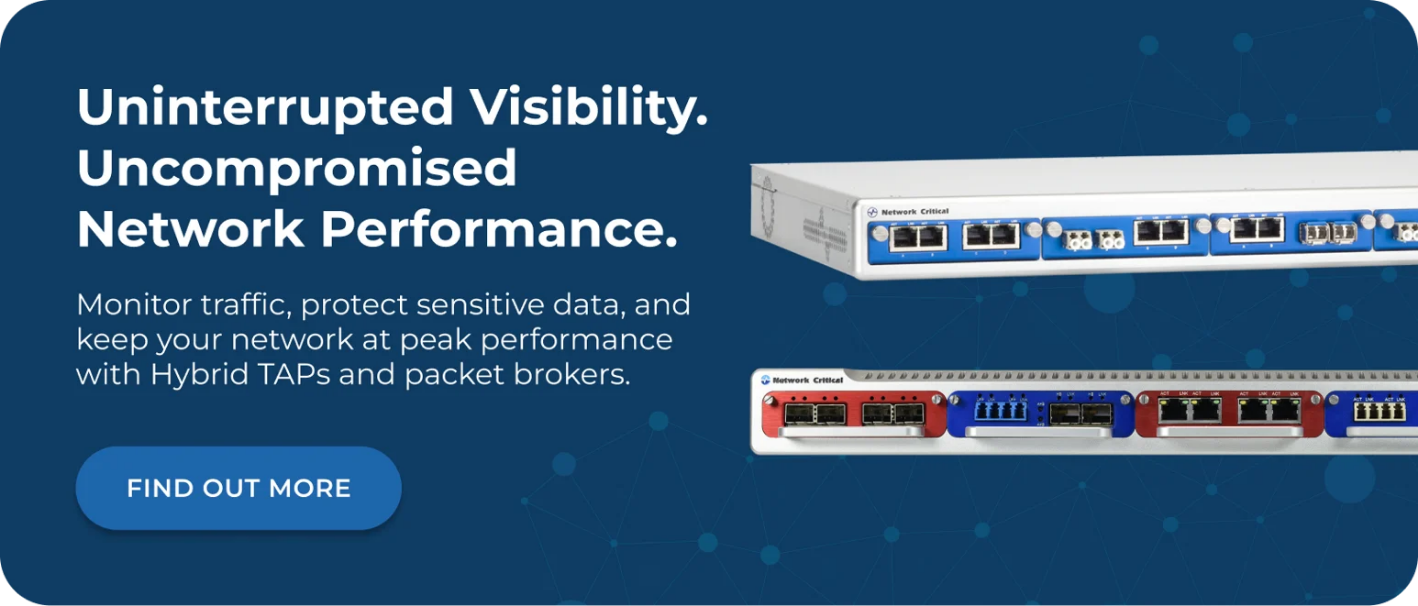
Network Critical's approach to 100G visibility goes beyond a standalone TAP. The SmartNA-PortPlus combines passive TAP access with full packet broker functionality in a single 1RU chassis. It scales from 48 ports to 194 ports across 1G, 10G, 25G, 40G, and 100G speeds. The SmartNA-PortPlus HyperCore extends this to 400G via 32 QSFP-DD interfaces.
Passive fiber TAPs from Network Critical require no power, introduce no latency, and maintain network continuity even under complete power loss. The modular scale-out architecture means organizations upgrading from 10G or 40G infrastructure don't need to rip and replace — they add capacity incrementally while the original units remain in service.
Drag-n-Vu software provides graphical port mapping and filter configuration with built-in rule optimization, reducing the configuration time and risk of error that accompany large-scale 100G TAP deployments. A RESTful API enables automated filter updates — particularly useful when integrating with AI-driven security platforms that dynamically adjust traffic focus.
Proven results:
- Vodafone: Achieved 100% accurate traffic visibility on key links, reducing customer churn by improving Quality of Service (QoS) monitoring across multi-generation network infrastructure.
- BP: Deployed passive fiber TAPs across refinery buildings to enable centralized monitoring of IT and Operational Technology (OT) systems without impacting production traffic.
- HSBC: Achieved zero latency on monitoring technologies across a global network spanning the UK to Hong Kong, using passive fiber TAPs to feed performance monitoring probes at full line rate.
2. Gigamon — G-TAP M Series
Gigamon's G-TAP M Series is a modular, high-density passive fiber optical TAP family. It supports 1G, 10G, 25G, 40G, 100G, and 400G speeds, including 40G and 100G BiDi deployments for environments using Cisco BiDi transceivers. TAP modules fit into ½RU and 1RU chassis and require no power source, no software, and no special patch cords, including for 40G, 100G, and 400G breakout configurations.
The G-TAP M Series uses advanced thin-film technology to minimize insertion loss and maintain consistency across optical transceiver vendors — a significant advantage in mixed-vendor environments with tight optical budgets. Breakout panel modules convert a single 40G, 100G, or 400G MPO link into four individual LC links, simplifying cabling at high-speed aggregation points.
G-TAP M Series TAPs integrate directly with Gigamon's GigaVUE HC Series and TA Series visibility nodes, providing access to Flow Mapping and GigaSMART traffic intelligence capabilities for organizations already using the Gigamon platform. TAA-compliant models are available across the range. Gigamon serves over 4,000 customers worldwide, including more than 80% of Fortune 100 enterprises.
3. Keysight Technologies — Flex Tap II and Flex Tap Secure+
Keysight's Flex Tap II delivers passive 100% optical TAP access in a modular, high-density chassis that accommodates up to 36 TAPs in a single 1RU 19-inch rack space using the Flex Tap Very High Density (VHD) module. Each tap in the Flex Tap family supports speeds from 1G up to 400G, with single-mode and multi-mode fiber variants available in split ratios from 50/50 to 90/10. Models are also available for Cisco BiDi deployments.
The Flex Tap Secure+ adds a no-return-path isolation layer, blocking any accidental or intentional signal injection from the monitor port back into the live network — an important consideration for regulated environments where monitoring infrastructure itself represents a potential attack vector. This is achieved with greater than -40dB isolation on monitor ports.
Keysight maintains extensive inventory for rapid delivery and supports a network of global channel partners. The Patch Tap variant integrates directly into standard patch panels from major manufacturers, reducing rack space requirements and light loss budget compared to separate TAP chassis deployments. Standard patch tap latency is approximately 1.3 nanoseconds; the ultra-low latency variant comes in below 0.8 nanoseconds for financial trading environments.
4. Garland Technology — Passive Fiber TAPs
Garland Technology manufactures its entire TAP portfolio in the USA and focuses exclusively on network visibility hardware. Its passive fiber TAP range covers 1G through 100G in both single-mode and multi-mode variants, available in portable plug-and-play form factors and 1RU or 2RU chassis configurations.
Garland's single-mode passive fiber TAPs are designed for long-range connectivity and deliver full-duplex packet visibility with no impact on the live link in the event of power loss. High-density configurations pack multiple 100G TAP links into a single rack unit, keeping port sprawl manageable during large-scale 100G rollouts.
The company invests heavily in education and technical resources, including detailed guidance on split ratio selection, optical loss budgets, and 40G/100G data center deployment considerations. Garland's portfolio also includes bypass TAPs, aggregation TAPs, and inline packet broker solutions for organizations that need to grow their visibility architecture beyond passive monitoring. TAA compliance is available across the product line for government and public sector deployments.
5. Cubro Network Visibility — OptoSlim TAP Series and MTP/MPO TAPs
Cubro's OptoSlim TAP Series addresses 100G deployments with a carrier-grade, stackable 1/3RU form factor that delivers some of the highest port density available in this footprint. The OptoSlim range is compatible with 100G LR4 and a wide range of other optical standards, including 400G FR4 and 400G LR4 for future-proofing. Every shipped unit includes an individual insertion loss measurement certificate — a quality assurance practice that sets Cubro apart in environments where optical budget precision is critical.
For 100G MPO-based deployments, Cubro's MTP/MPO TAPs provide passive fiber breakout TAP functionality compatible with 100G SR4 and 100G PSM4 standards. The compact form factor accommodates up to three Slimline TAP units in a single rack unit, enabling mixed split ratios or connector types in the same chassis.
Cubro's Breakout Box complements the OptoSlim TAPs by converting MTP links into individual LC pairs, simplifying cabling for QSFP28 and QSFP-DD interfaces. All Cubro optical TAPs are entirely passive, requiring no power and passing exact copies of all frames including errors. Cubro holds ISO 9001 and ISO 14001 certifications and serves service providers and enterprises across Europe, Asia-Pacific, and North America.
6. APCON — ApconTap Passive Optical TAPs
APCON's ApconTap portfolio covers passive optical TAP access at 1G, 10G, 25G, 40G, 100G, and 400G. Split ratio options of 50/50, 60/40, and 70/30 are available across the range, with both short-range and long-range models for single-mode and multi-mode fiber. A BiDi option for 40G deployments supports Cisco BiDi transceivers commonly found in data center environments transitioning to 100G.
ApconTaps are designed to sit in the same data center rack near APCON's IntellaView intelligent network monitoring switches, creating a tightly integrated access and distribution architecture. This co-location approach simplifies cabling runs and reduces insertion loss compared to distributed TAP deployments that route fibers across significant distances before reaching a visibility platform.
APCON's passive TAP portfolio covers the high-density next-generation data center use case, with models specifically optimized for the 40G and 100G wavelengths and fiber types common in modern hyperscale and enterprise core deployments. Publicly available specifications are not exhaustive for all models, but APCON's sales team provides pre-deployment optical budget guidance.
How to Choose the Right 100G TAP for Your Network
Understand Your Optical Fiber Standard
100G comes in multiple physical variants: 100GBASE-SR4 over multi-mode, 100GBASE-LR4 over single-mode, and 100G BiDi for Cisco BiDi deployments. Your TAP must match the fiber type, connector type, and wavelength of the link you're monitoring. Confirm whether your infrastructure uses LC, MTP, or MPO connectors before shortlisting vendors — not all TAP chassis accommodate every combination without adapters.
Calculate Your Optical Budget
Passive fiber TAPs introduce insertion loss on both the network link and the monitor port. At 100G speeds, the optical budget tolerance is tighter than at lower speeds. Check the vendor's insertion loss specifications for your specific fiber type and split ratio, and verify the calculation against your transceiver's receiver sensitivity. Incorrect split ratios at 100G can cause the monitor link to drop below threshold, producing false error detection in your tools.
Assess Density and Rack Space
Consider how many 100G links you need to monitor now and where you expect to be in three years. High-density TAP chassis can accommodate 12 to 36 TAP points in 1RU, dramatically reducing the rack footprint of a large-scale rollout. If your current monitoring tools operate at 10G or 25G, you may also need breakout capability — look for TAP chassis that offer native MPO-to-LC breakout panels.
Decide Whether You Need TAP-Only or Hybrid Capability
A passive fiber TAP delivers a raw copy of traffic to your monitoring tools. If you're feeding more than two or three tools, distributing filtered traffic to specific destinations, or aggregating multiple 100G links for analysis, you'll need packet broker functionality alongside your TAP access. Hybrid TAP solutions combine both functions in a single chassis, avoiding the cost and complexity of separate devices.
Consider Fail-Safe Behavior
Passive fiber TAPs maintain network connectivity even when the TAP itself fails, because no power is required to pass light through the optical splitter. Active TAPs — used where copper links or optical budgets don't support passive monitoring — require battery backup for fail-to-wire behavior. Confirm the fail-safe mechanism for any active TAP before deploying inline with mission-critical infrastructure.
Evaluate Ecosystem Integration
If you're running a visibility platform from a single vendor — Gigamon, Keysight, or APCON, for example — TAPs from that vendor will integrate natively with the platform's management and traffic intelligence features. For multi-vendor environments or where you want to avoid platform lock-in, independent TAP vendors with open API support offer more flexibility.
Frequently Asked Questions
What Is a 100G Network TAP and How Does It Work?
A 100G network TAP (Test Access Point) is a passive hardware device that creates a copy of traffic traversing a 100G fiber link and delivers it to monitoring or security tools. It works by optically splitting the light signal using a fiber splitter — typically at a 50/50, 60/40, or 70/30 ratio — sending the original signal forward to the network and a copy to the monitor port. Because the process is entirely optical and passive, no power is required, no packets are modified, and the live link is unaffected.
What Is the Difference Between a Passive TAP and a Bypass TAP?
A passive TAP copies traffic out-of-band to monitoring tools without touching the live network path. A bypass TAP sits inline with a security appliance — such as an Intrusion Prevention System (IPS) or firewall — and provides a fail-safe relay that redirects traffic around the tool if it goes offline. Both are used in 100G environments, but for different purposes: passive TAPs for visibility, bypass TAPs for inline security tool protection.
Can I Reuse Existing 10G or 40G TAPs When Upgrading to 100G?
No. TAPs are specific to the physical layer standard of the link they monitor. A 10G TAP uses different fiber types, connector formats, and wavelengths than a 100G TAP — typically SR or LR optics versus SR4, LR4, or CWDM4 for 100G. You'll need TAPs designed for the specific 100G standard your equipment uses. Some modular TAP chassis do allow you to mix 10G, 40G, and 100G modules in the same rack unit, which can reduce the number of chassis required during a phased migration.
Do 100G TAPs Introduce Latency?
Passive fiber TAPs introduce near-zero latency — typically measured in fractions of a nanosecond — because the optical split happens at the physical layer with no electronics in the data path. This makes them suitable for latency-sensitive applications including high-frequency trading, real-time video transport, and financial market data feeds. Active TAPs introduce slightly more latency due to electronic processing, but modern designs keep this well within acceptable bounds for the majority of enterprise use cases.
How Many 100G TAP Points Can I Fit in a Single Rack Unit?
Density varies significantly by vendor and module type. High-density passive fiber TAP chassis can accommodate between 6 and 36 individual TAP links in a single 1RU chassis, depending on the connector standard used. MTP/MPO-based 100G TAPs generally achieve lower density per 1RU than LC-based designs at lower speeds, because each 100G MPO link requires more fiber strands per tap. Check the vendor's chassis specification for your specific 100G standard before planning rack space.
What Split Ratio Should I Choose for 100G Monitoring?
The most common split ratios for 100G monitoring are 50/50 and 70/30. A 50/50 split gives equal light to the network and the monitor port. A 70/30 split sends 70% of the light forward to the network and 30% to the monitor port, which reduces the signal available to the monitoring tool but preserves more budget on the live link. The right choice depends on your transceiver's receiver sensitivity and the total optical budget of the fiber run — at 100G speeds, this calculation should be verified before deployment.
Build Your 100G Visibility Architecture With Network Critical
Choosing the right TAP infrastructure at 100G isn't simply about capturing traffic — it's about building an access layer that scales with your network, integrates with your security tools, and doesn't require rip-and-replace every time capacity grows.
Network Critical's network TAPs and hybrid SmartNA-PortPlus platform deliver passive fail-safe access alongside full packet broker intelligence in a single modular chassis. The scale-out architecture means your 100G investment remains relevant as you move to 400G — adding capacity without replacing existing infrastructure.
Whether you're protecting financial infrastructure, securing OT environments, or upgrading a data center core, Network Critical offers a free network audit to help you identify the right access architecture for your specific requirements. Speak with the team to get started.