Inline Networks: A Complete Guide
Inline networks are a fundamental concept in modern network security, yet they're frequently misunderstood or confused with out-of-band monitoring approaches. If you're deploying security tools like firewalls, Intrusion Prevention Systems (IPS), or web application proxies, you're almost certainly working with inline networks. Understanding exactly how they work, what the risks are, and how to protect them is essential for anyone responsible for network reliability and security.
The core distinction is straightforward. An inline network is one where a security or monitoring tool sits directly in the traffic path between two network segments. Every packet that flows between those segments passes through the inline device. This gives the tool full visibility and the ability to block or modify traffic in real time, but it also means the device becomes a critical single point of failure in your network infrastructure.
What an Inline Network Actually Means
A network link connects two devices, such as a router to a switch or a firewall to a core switch. In a standard configuration, traffic flows directly between these devices. When you insert an inline tool, you physically break that link and route traffic through the tool before it continues to its destination.
This differs fundamentally from out-of-band monitoring, where a copy of traffic is sent to a monitoring tool using a network TAP or Switch Port Analyzer (SPAN) port, but the original traffic path remains uninterrupted. In out-of-band architectures, the monitoring tool is passive. In an inline architecture, the tool is active in the traffic path.
What Types of Tools Run Inline
Several categories of security and networking tools are designed specifically for inline deployment:
- Firewalls: Inspect and filter packets based on rules before allowing them to pass between network segments
- Intrusion Prevention Systems: Detect and block malicious traffic patterns in real time as packets flow through the device
- Web Application Firewalls (WAFs): Inspect HTTP/HTTPS traffic and block application-layer attacks before they reach web servers
- SSL/TLS inspection appliances: Decrypt, inspect, and re-encrypt traffic to identify threats hidden within encrypted sessions
- Data Loss Prevention (DLP) systems: Monitor outbound traffic and block unauthorized transmission of sensitive data
- Network Access Control (NAC) systems: Enforce policy-based decisions on which devices can access network resources
Each of these tools requires visibility into live traffic as it flows, not copies delivered after the fact. Their ability to block, modify, or redirect traffic depends entirely on being positioned inline.
The Core Risk of Inline Deployment
Placing any device in the traffic path creates a dependency. If the inline tool fails, becomes overloaded, or requires maintenance, traffic stops flowing. In a network context, this means outages for users, applications, and services connected to that segment.
This isn't a theoretical risk. Security appliances require firmware updates, license renewals, and occasional reboots. Hardware can fail unexpectedly. During high-traffic periods, tools can become overwhelmed and stop processing packets. Any of these scenarios results in a network outage if you haven't planned for tool failure.
Why Tool Failure Is Inevitable
No hardware runs indefinitely without issues. Consider the situations that regularly take inline tools offline:
- Planned maintenance: Firmware upgrades, configuration changes, and license renewals all require tool downtime
- Unexpected hardware failure: Power supply failures, NIC failures, and software crashes can take tools offline without warning
- Performance overload: If traffic volumes exceed tool capacity, appliances can fail open or closed depending on configuration
- Software updates: Security vendors regularly release patches that require reboots
For organizations in finance, healthcare, government, or telecommunications, even a brief outage has serious operational and compliance consequences. The inline architecture that enables real-time security creates a reliability problem that must be addressed by design.
How Bypass TAPs Solve the Inline Availability Problem
The standard solution for protecting inline tools is a bypass TAP. A bypass TAP sits between the network link and the inline security tool. Under normal conditions, traffic passes through the bypass TAP to the inline tool and back before continuing along the network path. If the inline tool fails or is taken offline, the bypass TAP automatically redirects traffic around the tool, maintaining network connectivity.
This is the critical architectural principle for reliable inline deployment: your inline tools should never be the only path for traffic. The bypass TAP provides a failsafe route that keeps the network running regardless of what happens to the security appliance.
How Heartbeat Monitoring Works
Bypass TAPs use a technique called heartbeat monitoring to detect inline tool failures. The bypass TAP continuously sends test packets (heartbeats) to the inline security appliance. The appliance is expected to receive these packets and return them. If the bypass TAP stops receiving heartbeat responses, it concludes the tool has failed and automatically switches traffic to the bypass path.
This detection and failover process happens in real time, often within milliseconds, meaning network disruption during a tool failure is minimized or entirely transparent to users. When the tool comes back online, the bypass TAP detects resumed heartbeat responses and switches traffic back through the tool automatically.
Fail-Open vs. Fail-Closed Behavior
When an inline tool fails, it can behave in one of two ways, depending on how the bypass TAP or the tool itself is configured:
- Fail-open: Traffic bypasses the failed tool and continues flowing. Network connectivity is maintained, but traffic is no longer being inspected or protected. This is the standard behavior for most bypass TAP deployments.
- Fail-closed: Traffic stops flowing if the tool fails. The network goes down, but no uninspected traffic passes. This is appropriate only in very high-security environments where stopping traffic is preferable to passing uninspected packets.
For most enterprise environments, fail-open with alerting is the correct approach. The bypass TAP maintains connectivity while generating an alert so your team can address the failed tool.
Out-of-Band vs. Inline: Understanding the Difference
The choice between inline and out-of-band deployment isn't binary. Many network visibility architectures use both approaches for different tool types.
Tools That Must Run Inline
Some tools have no out-of-band option because their entire function depends on being in the traffic path:
- Prevention tools: An IPS can only block an attack if it sits inline. An Intrusion Detection System (IDS) operating out-of-band can detect and alert, but cannot block.
- Proxy-based tools: SSL inspection proxies must intercept and re-encrypt traffic, which requires inline positioning
- NAC enforcement: Access control decisions that involve blocking or quarantining traffic require inline placement
Tools That Work Out-of-Band
Monitoring and detection tools that don't need to block traffic can often run out-of-band, receiving copies of traffic via a network TAP or SPAN port:
- Packet capture systems: Record traffic for forensic analysis without needing to be in the path
- Network Performance Monitors (NPMs): Analyze traffic flows for performance metrics from copied traffic
- Security Information and Event Management (SIEM) platforms: Can receive traffic copies for log analysis
Out-of-band deployment has significant advantages. Because the monitoring tool receives a copy of traffic rather than live traffic, a tool failure has no impact on network availability. This is why network TAPs are the preferred access method for monitoring tools: they deliver a complete, accurate copy of traffic with zero risk to network uptime.
Inline Networks in Multi-Tool Architectures
Enterprise networks rarely run a single inline security tool. Firewalls, IPS, SSL inspection, and DLP systems often need to inspect the same traffic. Placing all these tools in series inline creates a chain of single points of failure and adds latency with every additional appliance.
The Problem with Chaining Inline Tools
When multiple tools are chained inline, every device adds latency, and every device represents a potential failure point. If any tool in the chain fails without bypass protection, the entire chain goes down. Managing traffic through multiple inline tools also creates complexity around which tool sees which traffic and in what order.
Using a Network Packet Broker to Manage Inline Tools
A network packet broker provides an intelligent way to manage traffic distribution to multiple inline and out-of-band tools. Rather than chaining tools directly, the packet broker aggregates traffic from multiple access points, applies filtering rules to direct specific traffic to the tools that need it, and manages load balancing across multiple tool instances.
For inline tools specifically, packet brokers can:
- Route traffic to the appropriate tool: Direct encrypted traffic to the SSL inspection appliance, HTTP traffic to the WAF, and all traffic to the IPS
- Load balance across multiple tool instances: Spread traffic across two or more instances of the same tool for performance and redundancy
- Filter out irrelevant traffic: Prevent tools from processing traffic they don't need to inspect, improving performance and tool lifespan
- Provide centralized management: Configure and monitor all traffic flows through a single management interface
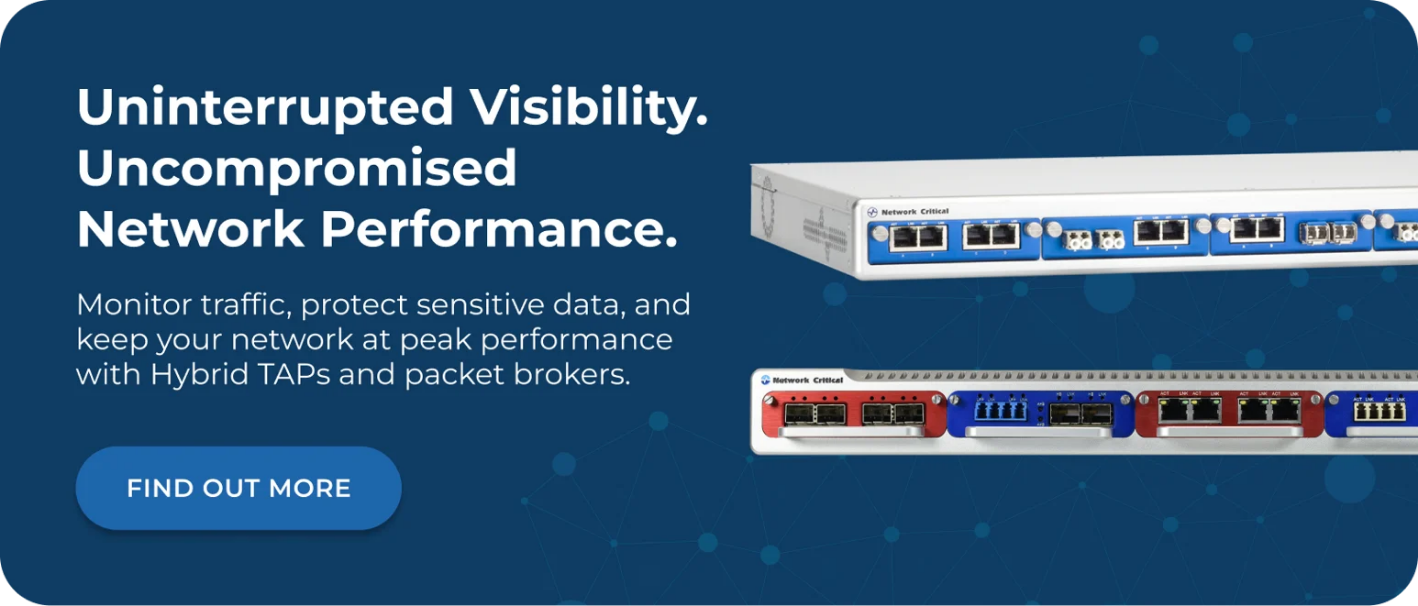
Network Critical's SmartNA-XL and SmartNA-PortPlus platforms combine TAP, bypass, and packet broker functionality in a single modular chassis, enabling organizations to build comprehensive inline and out-of-band visibility architectures without deploying multiple separate devices.
Inline Security in High-Speed Networks
As network speeds increase to 40G, 100G, and beyond, inline security presents additional challenges. Security appliances capable of processing traffic at these speeds are expensive, and older tools designed for lower-speed environments may not keep pace.
Speed Mismatches and Their Consequences
Many organizations have upgraded their core switching infrastructure to 40G or 100G links while retaining security tools designed for 10G environments. Placing a 10G tool inline on a 40G link creates a bottleneck. Traffic may be rate-limited or dropped as the tool struggles to process packets at line rate.
Bypass TAPs with filtering capabilities address this by allowing only relevant traffic to be sent to the inline tool. A 40G link may carry a mix of traffic types, but an IPS might only need to inspect a subset of that traffic. Filtering at the TAP or packet broker level reduces the load on the inline appliance and allows existing tools to remain useful as network speeds increase.
Planning for Tool Refresh Cycles
Inline tools require hardware refresh cycles that are often more frequent than passive network infrastructure. When planning inline deployments, factor in:
- How tool refresh impacts network availability (bypass TAPs make maintenance windows tool-specific rather than network-wide)
- Whether new tools need to support higher speeds than current appliances
- How port density on bypass TAPs and packet brokers scales with the number of inline tools you need to support
- Whether your management infrastructure supports rapid reconfiguration when tools change
The SmartNA-XL supports 1G/10G/40G in a modular 1RU chassis with hot-swap modules, allowing tool changes and reconfigurations without downtime. This is a practical consideration for any environment where inline tool refresh cycles need to be operationally invisible.
Inline Networks and Compliance Requirements
Regulated industries face specific requirements around inline security tool deployment. Financial services, healthcare, and government sectors often mandate specific security controls that can only be satisfied by inline tools with documented, auditable failover behavior.
What Regulators Look For
Compliance frameworks typically require organizations to demonstrate:
- Control coverage: That specific traffic types are being inspected by appropriate security controls
- Availability: That security controls don't create network outages, particularly for critical systems
- Auditability: That traffic flows and security decisions are logged and available for review
Bypass TAPs with proper heartbeat monitoring and logging satisfy the availability requirement by proving that inline tool maintenance and failures don't translate into network disruptions. When traffic bypasses a failed tool, that event should be logged with timestamps so compliance teams can demonstrate that the window of reduced inspection was identified and addressed promptly.
Lawful Interception Requirements
Telecommunications providers and certain enterprise environments operating under lawful interception requirements need to capture specific traffic streams with complete accuracy. This is a use case where inline TAP access, combined with precise filtering via a network packet broker, provides the legally defensible, complete traffic capture that regulators require. Unlike SPAN ports, which can drop packets under load, TAP-based access captures every packet on the link.
Frequently Asked Questions
What Is the Difference Between an Inline TAP and a Bypass TAP?
An inline TAP provides access to live traffic in the path for security tools, while a bypass TAP specifically protects inline tools from causing network outages. A bypass TAP sits between the network link and the inline appliance and automatically routes traffic around the tool if it fails. Network Critical's bypass TAPs use continuous heartbeat monitoring to detect failures and switch to the bypass path in real time.
Can I Run Monitoring Tools Inline and Out-of-Band on the Same Link?
Yes. A bypass TAP or hybrid TAP platform can provide simultaneous inline access for prevention tools (IPS, firewall) and out-of-band copies of traffic for monitoring tools (packet capture, NPM, SIEM). This is the standard approach in comprehensive visibility architectures, giving you both prevention capability and monitoring depth from a single access point.
What Happens to Traffic During a Bypass Failover?
During a bypass failover, traffic continues flowing through the bypass path, bypassing the inline security tool. The network stays up, but traffic is no longer being inspected by that tool until it comes back online. Bypass TAPs generate alerts when failover occurs so your team can prioritize restoring the tool. Failover and recovery are both automatic, requiring no manual intervention.
Do Inline Tools Add Latency to the Network?
Yes, inline tools add some latency, though modern security appliances are designed to minimize it. The bypass TAP itself adds negligible latency. More significant latency can come from deep packet inspection, SSL decryption, or traffic processing within the security appliance. When using a packet broker to filter traffic before it reaches inline tools, you reduce the processing load on those tools, which helps maintain lower latency.
How Do I Choose Between Deploying a Tool Inline or Out-of-Band?
If the tool needs to block or modify traffic, it must run inline. If it only needs to detect, analyze, or record traffic, out-of-band deployment is preferred because it removes the tool from the traffic path and eliminates any risk to network availability. Many organizations run prevention tools (IPS, firewall) inline with bypass protection while running detection and monitoring tools out-of-band via network TAPs.
How Network Critical Can Help
Building a reliable inline network architecture requires more than just choosing the right security tools. It requires purpose-built infrastructure that keeps your tools connected, your network running, and your visibility complete. Network Critical has been delivering network visibility and access solutions to enterprises, telecoms, and government organizations since 1997, with a product range specifically designed for inline and hybrid deployment scenarios.
Our bypass TAPs provide continuous heartbeat monitoring and automatic failover to protect inline security tools from causing network outages, with dual hot-swappable power supplies and modular chassis options supporting 1G/10G/40G environments. The SmartNA-XL combines TAP, bypass, and packet broker functionality in a single 1RU chassis, giving you centralized control over all inline and out-of-band traffic flows through the intuitive Drag-n-Vu™ management interface.
Whether you're deploying your first inline IPS, scaling a multi-tool security architecture across high-speed links, or building out visibility for compliance purposes, our team can help you design an approach that protects your network uptime while giving your security tools the traffic access they need.