How to Choose Between Active and Passive Network Monitoring
Choosing the right network monitoring approach is one of the most consequential infrastructure decisions you'll make. Get it wrong and your security tools may miss critical traffic, your monitoring coverage may have gaps, and your network reliability could be compromised when it matters most.
The core distinction is straightforward: passive monitoring copies traffic without inserting any device into the live data path, while active monitoring places devices inline so traffic flows through them directly. Both approaches have genuine strengths, and the right choice depends on your network type, speed, risk tolerance, and what you need your monitoring tools to do. In most enterprise environments, the best visibility architecture uses both.
This guide walks through how each approach works, where each excels, and the key factors to weigh when building your monitoring strategy.
What Passive Network Monitoring Means
Passive monitoring sits entirely outside the live network path. A passive network TAP physically splits or copies the optical signal from a fiber link and sends an identical copy to your monitoring tools, without the traffic ever passing through the TAP's processing logic.
Because the device is entirely outside the data path, it introduces zero latency. If the TAP loses power or fails, the original network link continues operating without interruption. This fail-safe characteristic is the defining advantage of passive monitoring and the reason it's preferred in high-compliance, high-availability environments.
How Passive Fiber TAPs Work
Passive fiber TAPs use optical splitting technology to divide the light signal on a fiber link. A portion of the light is redirected to monitoring ports while the remainder continues to the network endpoint. The split ratio is fixed at the hardware level, commonly 50:50 or 70:30 depending on link distance requirements.
Key characteristics of passive fiber TAPs include:
- No power required: The optical splitting is purely physical, so the TAP functions even during a complete power failure
- Zero latency: Traffic is copied at the speed of light with no processing delay
- No IP or MAC address: The TAP is invisible to the network and cannot be discovered or compromised
- 100% packet capture: Every packet, including malformed frames and errors, is copied to monitoring tools
- One-way data flow: Monitoring ports are receive-only, preventing any data from backflowing into the network
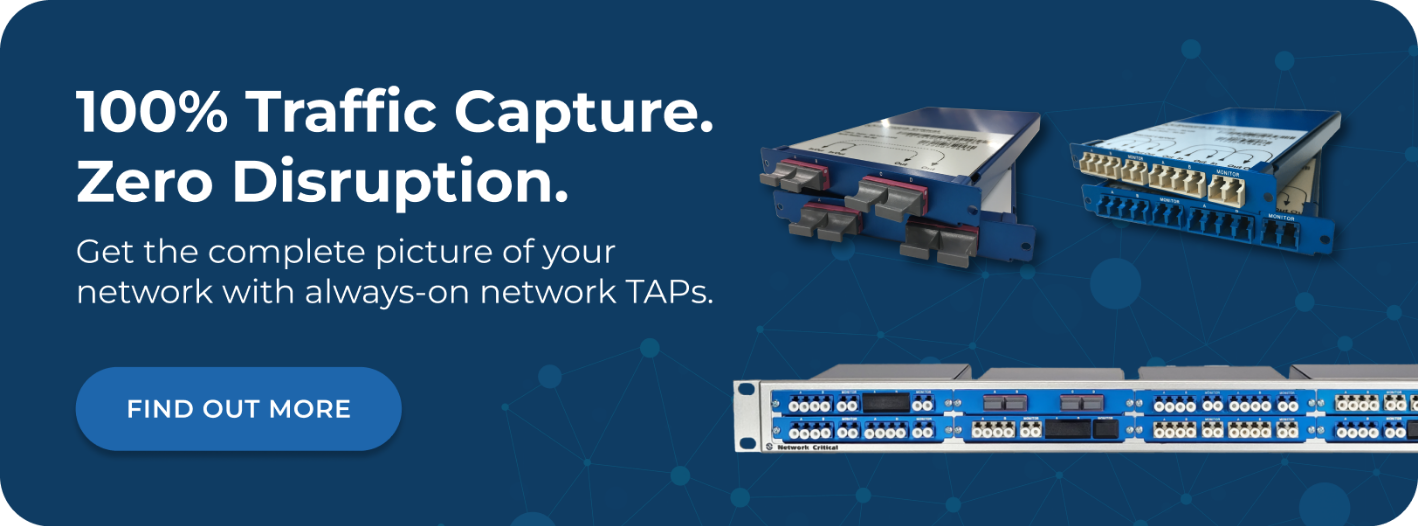
Network Critical's passive fiber TAP range supports speeds from 1G to 100G, including dedicated MPO TAP variants for 40G and 100G high-density deployments. Insertion loss is as low as 1.3dB, and units can be rack-mounted with up to 16 TAPs per 1RU, making them well suited to large-scale data center environments.
When Passive Monitoring Is the Right Choice
Passive monitoring is typically the default choice for out-of-band visibility on high-speed fiber links. It's the right fit when:
- Network uptime is non-negotiable: Finance, healthcare, defense, and critical infrastructure environments where any disruption is unacceptable
- You need forensic-grade accuracy: Legal, regulatory, and compliance use cases require a pure, unaltered copy of all traffic including errors
- You're monitoring high-speed fiber links: 10G, 40G, and 100G fiber links where inline devices would be difficult to scale
- Security is a priority: The TAP's invisible network footprint makes it impossible for attackers to detect, target, or circumvent
- Ongoing maintenance costs need to be minimized: No configuration, no management overhead, and no ongoing operational cost
What Active Network Monitoring Means
Active monitoring places devices directly in the network path so that live traffic flows through them. This includes Ethernet TAPs on copper links, as well as inline security appliances such as firewalls, Intrusion Prevention Systems (IPS), and next-generation firewalls that must inspect and potentially block traffic in real time.
Because traffic passes through the device rather than being copied beside it, active monitoring enables capabilities that passive monitoring cannot: traffic can be inspected, modified, blocked, or redirected based on policy decisions. This makes active monitoring essential for any tool that needs to do more than observe.
How Ethernet TAPs Work
Ethernet TAPs operate on copper links and provide active access to network traffic. Unlike passive fiber TAPs, they require power to operate and are inserted into the live network path. However, well-designed Ethernet TAPs include fail-safe mechanisms, so if the device loses power, internal relays close and the network link passes through uninterrupted.
Core features of Ethernet TAPs include:
- Full-duplex capture: Separate transmit and receive channels are captured simultaneously and sent to monitoring tools
- Fail-safe relay protection: Internal relays maintain the live link if the TAP loses power or fails
- Copper link support: Essential for monitoring 10/100/1000Mbps copper infrastructure where passive optical splitting isn't applicable
- Aggregation capability: Traffic from multiple links can be combined and sent to a single monitoring tool
- Invisible to the network: Like passive TAPs, Ethernet TAPs have no IP or MAC address and cannot be seen or targeted
Inline Security Tools and the Role of Bypass TAPs
Inline security tools such as IPS, firewalls, and Data Loss Prevention (DLP) systems need to sit directly in the traffic path to do their job. This creates a reliability challenge: if the inline tool fails, crashes, or needs to be taken offline for maintenance, it can cause a network outage.
Bypass TAPs solve this problem by providing a safety net around inline tools. They continuously send heartbeat signals to the inline appliance. If the appliance stops responding, the bypass TAP automatically redirects traffic around the failed tool, keeping the network live. When the tool recovers, traffic is seamlessly redirected back through it.
This makes bypass TAPs essential infrastructure for any environment running inline security tools. The key benefits include:
- Automatic failover: Traffic bypasses a failed inline tool within milliseconds, preventing network outages
- Tool maintenance without downtime: Security appliances can be updated, patched, or replaced without taking the network offline
- Heartbeat monitoring: Continuous health checks detect tool failure faster than manual monitoring
- Dual hot-swappable power supplies: Ensures the bypass TAP itself is highly resilient
- Advanced filtering: Only relevant traffic is sent to inline tools, reducing processing load and improving tool performance
Key Differences Between Active and Passive Monitoring
Understanding where each approach differs helps you decide which is appropriate for each link or use case in your network. The table below summarizes the most important distinctions:
- Network impact: Passive TAPs add zero latency and have no failure mode that affects the live link. Active devices introduce a small amount of processing overhead and require fail-safe mechanisms to protect network continuity.
- Traffic capture: Passive TAPs copy 100% of traffic with no possibility of packet loss at the TAP itself. Active Ethernet TAPs also capture full-duplex traffic but require power and fail-safe relay mechanisms.
- Capability: Passive monitoring is observation only. Active monitoring enables inspection, filtering, blocking, and real-time response to threats.
- Media type: Passive optical TAPs only work on fiber links. Ethernet TAPs are required for copper infrastructure.
- Power dependency: Passive fiber TAPs require no power and function indefinitely without it. Ethernet TAPs and inline tools require power, making fail-safe design critical.
- Security posture: Both TAP types are invisible to the network. Inline tools are addressable and can be targeted if not properly protected.
Where Each Approach Is Used in Practice
In real-world enterprise networks, passive and active monitoring aren't competing choices — they complement each other. Different links, tools, and use cases call for different approaches. Here's how each is typically deployed:
Passive Monitoring Use Cases
- Core and distribution layer fiber links: High-speed backbone links where zero latency and zero packet loss are mandatory
- Compliance and lawful interception: Environments requiring a legally defensible, unaltered copy of all network traffic
- Security Information and Event Management (SIEM) feeds: Passive copies of traffic delivered to SIEM platforms for threat detection and correlation
- Network Performance Monitoring (NPM) and Application Performance Monitoring (APM): Out-of-band traffic analysis without affecting production traffic
- Packet capture and forensics: Full-fidelity capture including all errors for incident investigation and root-cause analysis
- Data center inter-switch links: High-density monitoring at 40G/100G using MPO TAPs in tight rack deployments
Active Monitoring Use Cases
- Copper access layer links: Ethernet TAPs on copper segments where passive optical splitting isn't an option
- Inline IPS deployment: Active inspection and blocking of malicious traffic requires inline placement with bypass TAP protection
- Next-generation firewall inspection: Deep packet inspection and policy enforcement sit inline in the traffic path
- SSL/TLS decryption appliances: Decryption tools that need to intercept, decrypt, and re-encrypt traffic operate inline
- Branch office and edge monitoring: Smaller copper networks at remote sites where Ethernet TAPs provide practical, cost-effective visibility
The Role of Network Packet Brokers in Both Approaches
Whether you're using passive or active monitoring, the volume of traffic copied from multiple TAPs and Switch Port Analyzer (SPAN) ports quickly exceeds what individual tools can process. A network packet broker sits between your TAPs and your monitoring tools, aggregating, filtering, and distributing traffic intelligently so each tool receives exactly the traffic it needs.
This matters for both monitoring approaches because it directly determines how efficiently your tools perform. Without a packet broker, tools receive raw unfiltered traffic, wasting processing capacity on packets that aren't relevant to their function.
What a Network Packet Broker Does
A network packet broker performs several critical functions that neither passive nor active TAPs handle on their own:
- Aggregation: Combines traffic from multiple TAPs and SPAN ports into consolidated feeds for tools that need broad visibility
- Filtering: Strips out traffic that isn't relevant to specific tools, reducing processing load and allowing each tool to handle more links
- Load balancing: Distributes traffic across multiple instances of the same tool using session-aware algorithms, preventing any single appliance from being overwhelmed
- Deduplication: Removes duplicate packets that appear when traffic is captured from multiple TAPs on the same flow
- Packet manipulation: Strips headers, masks payloads, or slices packets to reduce the data volume sent to tools and improve data privacy
- Port mapping: Directs specific traffic streams to specific tools based on granular rules
Network Critical's SmartNA-PortPlus and SmartNA-XL platforms combine TAP and packet broker functionality in a single modular chassis, supporting both passive and active TAP modules. This means you can build a complete visibility architecture from a compact 1RU device rather than deploying separate TAPs and brokers for every segment.
Choosing the Right Architecture for Your Environment
There's no single correct answer for every organization. The right monitoring architecture depends on a combination of network characteristics, compliance requirements, security objectives, and operational constraints. Working through these factors systematically will guide you to the right balance of passive and active monitoring for your environment.
Factor 1: Network Media Type
This is the most fundamental starting point. Passive optical TAPs only work on fiber links. If your network runs on copper, Ethernet TAPs are the only hardware-based option for guaranteed full-duplex packet capture. Many enterprise networks run fiber at the core and distribution layers with copper at the access layer, which naturally leads to passive monitoring at the core and Ethernet TAPs at the edge.
Factor 2: Network Speed and Scale
At 10G, 40G, and 100G speeds, passive fiber TAPs are the most reliable and cost-effective way to capture traffic without introducing risk. Inline monitoring at these speeds requires significantly more robust hardware to avoid becoming a bottleneck or point of failure. Passive monitoring at high speed is straightforward, proven, and low-risk.
Factor 3: What Your Tools Need to Do
Ask whether each monitoring or security tool needs to observe traffic or act on it. The answer drives the architecture decision for that tool:
- Observe only (IDS, SIEM, NPM, APM, packet capture): Out-of-band passive or Ethernet TAP feeds are sufficient and preferable
- Inspect and potentially block (IPS, next-gen firewall, DLP): Inline placement is required, protected by bypass TAPs
- Decrypt and re-encrypt (SSL/TLS inspection): Inline placement is required, with careful consideration of the performance impact
Factor 4: Compliance and Regulatory Requirements
Frameworks such as PCI DSS, HIPAA, and SOC 2 require organizations to demonstrate complete visibility into network traffic. Passive fiber TAPs provide a legally defensible, unaltered traffic copy that satisfies audit requirements. SPAN ports, by contrast, can drop packets under load, which introduces gaps in your traffic record that are difficult to defend in an audit or legal proceeding.
Factor 5: Operational Risk Tolerance
Every inline device is a potential point of failure. Passive TAPs carry no such risk — if the TAP fails, the network link is unaffected. If your environment has very low tolerance for network disruption (financial trading platforms, hospital networks, emergency services infrastructure), passive monitoring should be the default wherever possible, with inline tools protected by bypass TAPs where active inspection is mandatory.
Common Mistakes to Avoid
Understanding both approaches also means knowing where organizations commonly go wrong when building their monitoring architectures. The following mistakes are frequently seen across enterprise deployments:
- Relying solely on SPAN ports: SPAN ports drop packets under load, can't capture certain error frames, and are limited by switch resources. They're a supplement to TAPs, not a replacement.
- Running inline tools without bypass TAP protection: An inline tool with no bypass capability is a single point of failure. Any crash, update, or power loss will cause a network outage.
- Using passive TAPs on copper links: Passive optical splitting doesn't work on copper. Ethernet TAPs are required for copper segments.
- Connecting TAPs directly to tools without a packet broker: As networks grow, direct TAP-to-tool connections become unmanageable. A packet broker is essential for scalability.
- Overlooking the access layer: Core and distribution layer monitoring is often well covered, but access layer copper links are frequently unmonitored, leaving a significant blind spot.
- Not accounting for encrypted traffic: Passive and active TAPs can both capture encrypted traffic, but you'll need an inline decryption appliance (protected by a bypass TAP) to make that traffic visible to inspection tools.
Building a Combined Passive and Active Architecture
In practice, a well-designed enterprise visibility architecture uses passive and active monitoring together, assigning each approach to the segments and tools where it's best suited. Here's a logical approach to building that architecture:
- Start with passive TAPs on high-speed fiber links: Deploy passive fiber TAPs at core and distribution layer links to establish guaranteed out-of-band visibility with zero network impact
- Add Ethernet TAPs at the access layer: Cover copper segments at the access layer and branch offices with Ethernet TAPs, ensuring full-duplex capture with fail-safe relay protection
- Deploy a packet broker to aggregate and filter: Connect all TAP outputs to a network packet broker to aggregate traffic, apply filtering rules, and distribute targeted feeds to your tools
- Protect inline tools with bypass TAPs: For any inline security appliance (IPS, firewall, decryption), add a bypass TAP to provide automatic failover and maintenance windows without downtime
- Verify coverage with a visibility map: Use your packet broker's management interface to verify every network segment has a corresponding TAP output feeding into your monitoring architecture
This layered approach gives you complete passive visibility across your fiber infrastructure, reliable active monitoring and security inspection on the links that need it, and a packet broker tying everything together so your tools receive clean, targeted traffic feeds.
Frequently Asked Questions
Can You Use Both Active and Passive Monitoring at the Same Time?
Yes, and in most enterprise environments you should. Passive fiber TAPs provide out-of-band visibility on high-speed links with zero network impact, while Ethernet TAPs and inline tools handle copper segments and active security functions. A network packet broker aggregates the feeds from both into a unified visibility layer for your monitoring tools.
Do Passive TAPs Work on Copper Networks?
Passive optical TAPs only work on fiber links, as they rely on splitting a light signal. For copper Ethernet links, Ethernet TAPs are required. These include fail-safe relay mechanisms so the live link is protected if the TAP loses power.
What Happens If an Inline Security Tool Fails?
Without a bypass TAP in place, a failed inline tool will cause a network outage on that link. A bypass TAP monitors the inline appliance continuously using heartbeat signals and automatically redirects traffic around the tool if it stops responding, keeping the network live until the tool recovers or is replaced.
Are Network TAPs Visible to Attackers?
No. Network TAPs, both passive and Ethernet variants, have no IP address, no MAC address, and no management plane exposed to the production network. This makes them invisible to network scanning and reconnaissance tools. An attacker cannot discover, target, or compromise a TAP through the network.
When Should I Use a Network Packet Broker Alongside TAPs?
You should use a network packet broker as soon as you have more than a handful of TAPs or more than one or two monitoring tools. Without a broker, managing direct TAP-to-tool connections becomes complex and inefficient as your network grows. A packet broker aggregates traffic from all sources and distributes targeted feeds to each tool, dramatically improving scalability and tool performance.
How Network Critical Can Help
Getting the balance right between passive and active monitoring requires purpose-built hardware designed for the demands of enterprise visibility. Network Critical has been building network TAPs and visibility infrastructure since 1997, helping organizations across finance, healthcare, defense, telecommunications, and critical infrastructure achieve complete network coverage without compromising reliability or performance.
Our network TAP range covers every monitoring scenario, from passive fiber TAPs supporting 1G through 100G speeds, to Ethernet TAPs with fail-safe relay protection for copper infrastructure, to bypass TAPs that protect your inline security tools from causing outages. The SmartNA family of modular hybrid platforms combines TAP and packet broker functionality in a single 1RU chassis, giving you aggregation, filtering, load balancing, and port mapping alongside your TAP access points in a compact, scalable design.
Whether you're designing a new visibility architecture from scratch, filling gaps in an existing deployment, or looking to replace SPAN ports with guaranteed packet capture, our team can help you build an architecture that delivers complete coverage across every link in your network.