What Is CMMC and What Does It Mean for Network Monitoring?
If you work with the US Department of Defense (DoD), Cybersecurity Maturity Model Certification (CMMC) decides whether you can win and keep that work. The program checks that defense contractors protect sensitive government information. And many of its requirements come down to one question: can you see what’s moving across your network?
CMMC asks you to monitor inbound and outbound traffic, watch communications at your network boundaries, spot unauthorized use, and keep records an assessor can check. None of that works if your security tools only see part of the traffic. That’s why network test access points (TAPs) and network packet brokers have become part of many contractors’ compliance architecture. TAPs copy every packet from key links, and packet brokers deliver the right traffic to your intrusion detection, logging, and forensics tools.
The program itself is in flux. In July 2026, the DoD paused the planned move to mandatory third-party assessments. But the requirements that touch network monitoring still apply to every contract that handles sensitive defense data, and recent signals from the department point toward more monitoring, not less.
What Is CMMC?
CMMC is the DoD’s program for verifying that companies in the defense industrial base (DIB), from prime contractors to subcontractors at every tier, protect sensitive unclassified information on their own systems. Most of what it checks comes from National Institute of Standards and Technology (NIST) Special Publication (SP) 800-171, which many contractors were already required to follow.
The program rule, 32 CFR Part 170, was finalized in October 2024 and defines the levels, assessments, and scoping. A separate acquisition rule put CMMC clauses into defense contracts from November 10, 2025. The department now also uses the name Department of War (DoW), so you’ll see both in official guidance.
The Two Types of Information CMMC Protects
Your CMMC requirements depend on the kind of information you handle:
- Federal contract information (FCI): Information provided by or generated for the government under a contract that isn’t intended for public release, such as delivery schedules
- Controlled unclassified information (CUI): More sensitive information that requires safeguarding under law, regulation, or government policy, such as technical drawings or export-controlled data
If you handle CUI, you face the most demanding requirements, and network monitoring becomes a big part of the work.
The Three CMMC Levels Explained
Each level builds on the one below it, and your contract specifies which one you need.
Level 1 (Foundational)
Level 1 applies to companies that handle only FCI. It covers 15 basic requirements from Federal Acquisition Regulation (FAR) clause 52.204-21, with an annual self-assessment and affirmation.
Level 2 (Advanced)
Level 2 applies to companies that handle CUI. It maps directly to the 110 requirements in NIST SP 800-171 Revision 2. Depending on the contract, you either self-assess or undergo an assessment by a Certified Third-Party Assessment Organization (C3PAO) every three years, and you report results in the Supplier Performance Risk System (SPRS).
Level 3 (Expert)
Level 3 is for programs facing advanced persistent threats. You need Level 2 (C3PAO) status first, then 24 enhanced requirements from NIST SP 800-172, for 134 in total. Government assessors from the Defense Industrial Base Cybersecurity Assessment Center (DIBCAC) run these assessments.
Where CMMC Stands in November 2026
CMMC was designed to roll out in four phases, a year apart:
- Phase 1 (November 10, 2025): Level 1 and Level 2 self-assessments became a condition of award. In effect.
- Phase 2 (planned for November 10, 2026): Level 2 C3PAO certification was set to become the default for CUI contracts. Suspended on July 13, 2026.
- Phase 3 (planned for November 10, 2027): Certification would extend to option periods, and Level 3 would arrive. On hold.
- Phase 4 (planned for November 10, 2028): Full implementation. On hold.
A CMMC Reform Task Force then ran a 60-day review of compliance costs, assessor capacity, and barriers for smaller suppliers. The review closed in September, but as of late October 2026 the department hadn’t published its findings or set a new Phase 2 date. Check the DoD CIO’s CMMC page before you plan around any deadline.
What the Suspension Didn’t Change
It’s easy to read “paused” as “optional.” That would be a costly mistake. These obligations remain in force:
- DFARS 252.204-7012: If your contract includes this Defense Federal Acquisition Regulation Supplement (DFARS) clause, you must still implement NIST SP 800-171 and report cyber incidents within 72 hours
- Phase 1 self-assessments: Contracts can still require Level 1 or Level 2 self-assessments and annual affirmations
- False Claims Act exposure: In September 2026, Honeywell Aerospace agreed to pay more than $2 million to resolve allegations that it didn’t meet NIST SP 800-171 on one of its networks
Where the Program Seems to Be Heading
DoD leadership has hinted that the next version of CMMC could put more weight on monitoring. DoD Chief Information Officer (CIO) Kirsten Davies has criticized the program’s reliance on point-in-time assessments instead of near-real-time monitoring. She has also said CMMC needs to address operational technology (OT) on manufacturing lines.
Nothing is final. But investing in network visibility now moves you in the same direction, whatever form the requirements take.
Why Network Monitoring Sits at the Center of CMMC
Many CMMC requirements cover policy and process, but a sizable group depends on your ability to observe traffic. Write a perfect incident response plan, and it still won’t kick in if your intrusion detection system (IDS) never sees an attacker moving between servers.
Four Jobs Monitoring Does for Compliance
- Detection: Your security tools spot attacks, malware, and unauthorized activity as it happens
- Evidence: Traffic records and alerts show assessors that your controls are actually running
- Investigation: Packet data helps you reconstruct what happened during an incident
- Reporting: Preserved monitoring data supports the incident reports DFARS requires
Monitoring is only as good as the traffic feeding it. If your tools get incomplete data, you’ll struggle to prove you monitor inbound and outbound communications, which is exactly what assessors check.
The CMMC Requirements That Depend on Network Monitoring
These requirements come from NIST SP 800-171 (Level 2) and NIST SP 800-172 (Level 3). CMMC labels each with a domain, level, and number, so SI.L2-3.14.6 means System and Information Integrity, Level 2, requirement 3.14.6.
System and Information Integrity
The most direct monitoring requirements sit in this family:
- SI.L2-3.14.6: Monitor your systems, including inbound and outbound communications traffic, to detect attacks and indicators of potential attacks
- SI.L2-3.14.7: Identify unauthorized use of your systems
NIST’s guidance for 3.14.6 covers both external and internal monitoring at strategic points. Expect assessors to look for coverage inside your network, not just at the internet edge.
System and Communications Protection
- SC.L2-3.13.1: Monitor, control, and protect communications at external boundaries and key internal boundaries
- SC.L2-3.13.6: Deny network traffic by default and allow it by exception
So you need visibility wherever your CUI environment connects to something else, including links between your enterprise network and a CUI enclave.
Audit and Accountability
- AU.L2-3.3.1: Create and retain audit logs and records that support monitoring, analysis, and investigation of unauthorized activity
- AU.L2-3.3.5: Correlate audit review, analysis, and reporting so you can investigate and respond to suspicious activity
- AU.L2-3.3.8: Protect audit information and logging tools from unauthorized access, modification, and deletion
- AU.L2-3.3.9: Limit management of audit logging to a subset of privileged users
Incident Response and DFARS Reporting
IR.L2-3.6.1 requires an incident handling capability that covers detection, analysis, containment, and recovery. DFARS 252.204-7012 adds two specifics: report cyber incidents within 72 hours, and preserve images of affected systems plus relevant monitoring and packet capture data for at least 90 days after you report.
That second point catches people out. If you’ve never captured packets on the links that carry CUI, you’ll have nothing to preserve.
Level 3 Enhanced Requirements
- RA.L3-3.11.2e (threat hunting): Search for indicators of compromise on an ongoing basis or when indications warrant
- SI.L3-3.14.6e (threat-guided intrusion detection): Use threat indicator information to guide intrusion detection and threat hunting
- SI.L3-3.14.3e (specialized asset security): Bring Internet of Things (IoT), industrial IoT, and OT devices into scope, or segregate them in purpose-specific networks
Threat hunting relies on historical and real-time traffic data, so partial visibility means hunting with partial evidence.
What Assessors Check in Your Monitoring Setup
Whether you self-assess or face a C3PAO, assessors examine documents, interview staff, and test controls. For monitoring, expect them to ask for:
- A current network diagram: Showing CUI flows, boundaries, and where your monitoring points sit
- Your system security plan (SSP): Describing how you implement each monitoring requirement
- Tool coverage: Proof that your IDS, security information and event management (SIEM) platform, or network detection tools receive traffic from every relevant boundary, in both directions
- Alert handling records: Evidence that someone reviews alerts and acts on them
- Asset inventory: Every security protection asset documented, including your visibility devices
Outbound traffic is a common weak spot. Plenty of organizations watch what comes in but can’t show they inspect what leaves, which is how data exfiltration goes unnoticed.
Why SPAN Ports Leave Gaps in CMMC Monitoring
Many networks feed security tools from switch port analyzer (SPAN) ports, which mirror traffic from one or more switch ports to a monitoring port. SPAN is built into your switches, so it’s a natural starting point. But it has limits that make complete coverage hard to prove.
SPAN Drops Packets When the Switch Is Busy
Switches put forwarding production traffic ahead of mirroring it. When utilization spikes, mirrored packets can drop without warning. Your tools miss traffic, and nothing tells you.
SPAN Filters Out Errors
SPAN ports typically don’t forward physical-layer errors or malformed frames. That’s useful evidence lost when you’re troubleshooting or investigating.
SPAN Configurations Drift
SPAN sessions are configured switch by switch, and most switches support only a few. Network changes and staff turnover create gaps nobody notices until an assessor or an incident exposes them.
TAPs Close the Gap
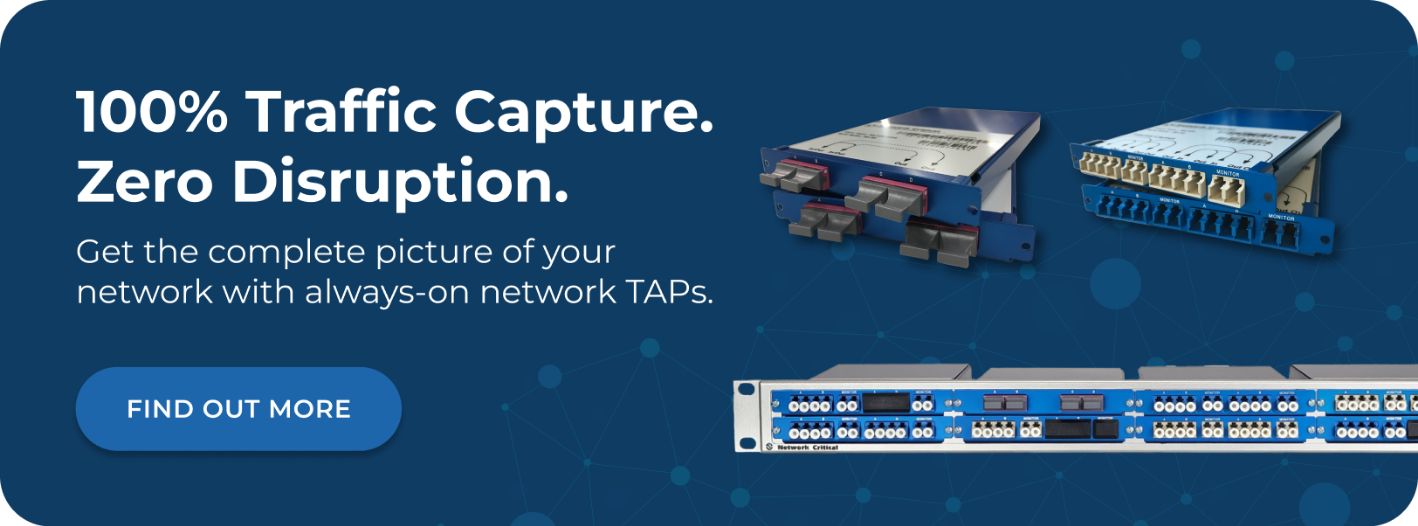
A TAP sits on the link itself and copies every packet in both directions, including errors, without relying on the switch. Passive fiber TAPs need no power at all, and their one-way design stops data flowing back from the monitoring side into your production network. You get a dependable traffic source you can document in your SSP and defend in an assessment.
How to Build a CMMC-Ready Network Visibility Architecture
A visibility architecture moves traffic through three layers:
- Access: TAPs copy traffic from your network links
- Aggregation: Packet brokers filter, process, and route that traffic
- Tools: Your IDS, SIEM, and capture systems analyze it
Get the first two right, and the third becomes far easier to defend.
Place TAPs at External and Key Internal Boundaries
Work through the boundaries SC.L2-3.13.1 names, in rough priority order:
- CUI enclave boundaries: Where your CUI environment connects to the wider enterprise network
- Internet edge: Between your firewall and your service provider, plus links into any demilitarized zone (DMZ)
- Remote access entry points: Virtual private network (VPN) concentrators and other paths covered by AC.L2-3.1.12
- Data center core: Server-to-server links where lateral movement happens
For copper links, Ethernet TAPs such as our SmartNA range offer failsafe modules that keep traffic flowing if the TAP loses power.
Aggregate and Filter Traffic With Packet Brokers
Connecting every TAP straight to every tool gets unmanageable fast. A packet broker collects traffic from all your TAP and SPAN sources, then sends each tool only what it needs:
- Aggregation: Combine traffic from many links into fewer tool ports
- Filtering: Forward traffic by virtual local area network (VLAN), IP range, protocol, or port
- Load balancing: Spread high-volume traffic across multiple tool instances
- Deduplication: Remove duplicate packets that inflate storage and distort analysis
- Payload masking and slicing: Hide or truncate packet contents your tools don’t need to see
Our SmartNA-XL covers 1G to 40G, SmartNA-PortPlus scales to 100G, and SmartNA-PortPlus HyperCore handles up to 400G.
Protect Inline Security Tools With Bypass TAPs
Inline tools like intrusion prevention systems help with boundary protection and deny-by-default requirements, but a failed appliance can take the link down with it. Bypass TAPs send heartbeat signals to the tool and reroute traffic automatically if it stops responding, so failures and maintenance don’t cost you uptime.
Extend Visibility to Remote Sites and OT
SmartNA-XL supports Generic Routing Encapsulation (GRE) and Virtual Extensible LAN (VXLAN) tunneling, so you can tunnel traffic from remote sites back to central tools. For manufacturers, passive TAPs let you monitor OT networks without sending anything into control systems, which helps with SI.L3-3.14.3e and any OT requirements that emerge from the review.
How to Bring Your Visibility Layer Into Compliance
Many CMMC guides skip this: your monitoring infrastructure is part of your assessment scope. Under the CMMC scoping rule, assets that provide security functions to your CUI environment count as security protection assets. They’re assessed against the requirements relevant to what they do. TAPs and packet brokers that carry copies of CUI traffic may also count as CUI assets.
Harden Management Access
Your visibility devices need the same discipline as everything else in scope. Look for support for:
- Centralized authentication: Remote Authentication Dial-In User Service (RADIUS) and Terminal Access Controller Access-Control System Plus (TACACS+) for access control and audit trails
- Encrypted management: Secure Shell (SSH) for the command line and HTTPS for the web interface
- Secure device monitoring: Simple Network Management Protocol version 3 (SNMPv3), which adds authentication and encryption
- Restricted change rights: Only a small group of privileged users can change filters and port maps, in line with AU.L2-3.3.9
For an extra layer, INVIKTUS enforces zero-trust policies with no IP or MAC address, so attackers can’t find it.
Limit How Much CUI Your Tools See
A tool that receives full packets containing CUI may become a CUI asset itself. Payload masking, header stripping, and packet slicing let you send tools what they need without full packet contents. Ask your assessor or Registered Provider Organization (RPO) how this affects your scope.
Document Every Device and Configuration
Add each TAP and packet broker to your asset inventory and network diagram. Drag-n-Vu, our graphical management interface, shows which traffic flows to which tools and warns you if you try to create a filter or path that isn’t allowed. That makes changes easier to control and explain.
A Step-by-Step Plan to Prepare Your Network Monitoring for CMMC
- Confirm your level and scope: Check contracts for CMMC and DFARS clauses, then map where CUI is stored, processed, and transmitted.
- Map your boundaries: Identify every external and key internal boundary, remote access path, and OT connection.
- Audit your current visibility: List the links feeding your tools, note which rely on SPAN, and look for outbound and server-to-server blind spots.
- Deploy TAPs on critical links: Start with your CUI enclave boundary and internet edge.
- Centralize with a packet broker: Route traffic to your IDS, SIEM, and capture tools from one managed layer.
- Set up packet capture and retention: Make sure you could preserve 90 days of data after an incident report.
- Harden and document the visibility layer: Lock down management access and add every device to your SSP and inventory.
- Keep testing: Recheck coverage whenever the network changes, since CA.L2-3.12.3 requires ongoing control monitoring.
If you’re starting from scratch, steps 3 and 4 usually deliver the fastest gains. Most gaps appear as soon as you compare what your tools receive with what actually crosses your boundaries.
Frequently Asked Questions
Is CMMC Still Required After the Phase 2 Suspension?
Yes, in part. Phase 1 self-assessment requirements remain in effect, and DFARS 252.204-7012 still requires you to implement NIST SP 800-171 if you handle CUI. Only the move to mandatory third-party certification at contract award is on hold.
Does CMMC Require Network TAPs?
No. CMMC is technology neutral and doesn’t name products. It requires you to monitor traffic and prove it, and TAPs are one of the most dependable ways to give your tools complete, verifiable copies.
Can I Meet CMMC Monitoring Requirements With SPAN Ports?
Possibly, in small or low-traffic environments. SPAN can drop packets under load and filters out errors, though, which makes complete coverage harder to demonstrate.
How Network Critical Can Help
CMMC’s final shape is still being decided, but its monitoring expectations are settled. You need to watch traffic at your boundaries and inside your network, catch unauthorized use, keep records, and prove it to an assessor. All of that depends on your tools seeing complete traffic.
We’ve designed and built network visibility hardware since 1997 for government, aerospace and defense, and other high-compliance organizations. Here’s where to start:
- Hybrid TAP and packet broker platforms: SmartNA and SmartNA-XL combine TAP access and packet brokering in a modular chassis
- Entry-level aggregation: The SmartNA-PortPlus-TA consolidates TAP and SPAN feeds at up to 100G
- Passive fiber TAPs: Always-on, power-free traffic copies with a one-way design
- Simple, documented configuration: Drag-n-Vu for fast, error-free setup and change management
Whether you’re closing gaps before an assessment, preparing for Level 3 threat hunting, or extending monitoring into OT, our team can help you design an architecture that fits your network and your assessment scope.