What Are TAP Devices and How Are They Used in Network Monitoring?
If you need to monitor your network traffic, the method you use to access that traffic matters enormously. Monitoring tools can only analyze what they can see, and the quality of your visibility access determines whether your security and performance data is complete or full of gaps. That's where network test access point (TAP) devices come in.
A network TAP is a hardware device that connects to a network link and creates an exact copy of all traffic passing through it. Unlike other access methods, it delivers this copy to your monitoring tools in real time, without affecting the live network in any way. TAPs capture everything, including errors and malformed packets, giving your security and monitoring tools the complete, unfiltered view they need to do their jobs properly.
This guide covers what TAP devices are, how the different types work, where they're used, and how they compare to alternative traffic access methods like Switch Port Analyzer (SPAN) ports.
How a Network TAP Works
A network TAP sits physically inline between two network nodes, such as between a router and a switch or between a firewall and a core switch. Traffic flowing in both directions passes through the TAP as normal. The TAP duplicates that traffic and sends the copy out through dedicated monitoring ports, while the original traffic continues to its destination completely uninterrupted.
The key principle here is transparency. The TAP has no IP or MAC address, which means it's invisible to the network and to any connected devices. From the perspective of everything on your network, the TAP simply doesn't exist. This invisibility isn't just a feature for simplicity. It also means the TAP can't be targeted, detected, or compromised by attackers.
Full-Duplex Capture by Design
Network links carry traffic in two directions simultaneously: transmit and receive. A network TAP handles both directions as a core part of its design, delivering both streams to your monitoring tools on separate channels. This matters because it means your tools receive a complete picture of every conversation on the link, not just one side of it.
This is one of the most important distinctions between TAPs and SPAN ports. A SPAN port requires two ports to achieve full-duplex coverage. A TAP provides it as standard, with a single device.
Zero Impact on Live Traffic
Because the TAP only copies traffic and never modifies or intercepts it, there's no impact on latency or throughput. The live network path remains completely unaffected. If a TAP loses power, passive fiber TAPs maintain the live link automatically since they require no power to function. Ethernet TAPs include failsafe mechanisms to ensure the network path stays up regardless of the TAP's power state.
The Three Main Types of Network TAPs
Not all TAPs work the same way. The type of TAP you need depends on your network media, speed requirements, and whether you need out-of-band monitoring or inline tool protection.
Passive Fiber TAPs
Passive fiber TAPs work by using optical splitters to divide the light signal traveling through a fiber link. They require no power to operate and contain no active electronics. The splitter directs a portion of the light signal to the monitoring port while the rest continues through the live network.
The light budget split is configurable. Common ratios include 50:50, 60:40, and 70:30, allowing you to balance monitoring signal strength against live network signal integrity based on link distance and performance requirements.
Key characteristics of passive fiber TAPs include:
- No power required: The TAP functions through optical splitting alone, with zero active components
- Always on: Even during a power outage, the live network path and monitoring copy both remain active
- Zero latency: No processing occurs, so there's no delay introduced into the network path
- One-way design: The monitoring port is receive-only, preventing any data from flowing back into the live network
- Low insertion loss: Network Critical passive fiber TAPs achieve insertion loss as low as 1.3dB
- High density: Up to 16 TAPs in a single 1U rack unit chassis
Passive fiber TAPs are available for a range of speeds and media types, including 1G/10G multimode and singlemode LC fiber, 40G/100G Multi-Fiber Push On (MPO) configurations, and 40G bidirectional (BiDi) TAPs for Cisco BiDi infrastructure.
Ethernet TAPs
Ethernet TAPs are designed for copper network links and use active electronics to copy traffic. Unlike passive fiber TAPs, they require power to operate. Most include failsafe mechanisms that automatically maintain the live network path if the TAP loses power, ensuring the monitored link never goes down because of the TAP.
Ethernet TAPs are deployed on copper 10/100/1000Mb links and higher-speed copper connections. They capture every packet on the link, including malformed frames and physical layer errors that SPAN ports typically discard. This matters for accurate diagnostics, since errors on the wire are exactly the kind of information you need when troubleshooting performance issues.
Network Critical's SmartNA™ provides a modular 1G ethernet TAP and packet broker platform, while the SmartNA-XL™ supports speeds up to 40G with advanced filtering and aggregation capabilities.
Bypass TAPs
Bypass TAPs serve a different purpose from standard out-of-band TAPs. They're used when inline security appliances, such as Intrusion Prevention Systems (IPS) or next-generation firewalls, are deployed directly in the network path. Because these tools sit inline, if they go offline, the network link goes down with them.
A bypass TAP solves this problem by continuously sending heartbeat test signals to the inline appliance. As long as the appliance responds, traffic passes through it normally. If the appliance stops responding, the bypass TAP automatically redirects traffic around it, keeping the network running without interruption. When the appliance comes back online, traffic is routed through it again automatically.
Bypass TAPs provide several critical benefits:
- Network continuity: Link stays up even if the inline security appliance fails
- Maintenance without downtime: You can take security tools offline for updates or replacement without dropping the network
- Automatic failover: No manual intervention required when a tool fails or recovers
- PacketPro™ filtering: Advanced packet manipulation capabilities for optimizing traffic before it reaches inline tools
Why TAPs Are Preferred Over SPAN Ports
The most common alternative to a TAP for accessing network traffic is a Switch Port Analyzer (SPAN) port. Network engineers often reach for SPAN ports first because they don't require additional hardware, but this approach introduces significant limitations.
The Problem with SPAN Ports
SPAN ports are a software feature on network switches that mirrors selected traffic to a designated monitoring port. They're convenient but unreliable as a monitoring access method for several reasons:
- Packet drops under load: When a switch is busy, SPAN port traffic is deprioritized. Packets are dropped before they reach your monitoring tools, creating gaps in your visibility during exactly the times when traffic is highest
- No error capture: SPAN ports typically strip out physical layer errors and malformed frames before mirroring traffic, removing exactly the data that's most useful for diagnosing problems
- Switch CPU overhead: Running SPAN ports consumes switch processing resources, which can affect the performance of the switch itself
- Half-duplex limitation: A single SPAN port only mirrors traffic in one direction. Full-duplex coverage requires two SPAN ports
- Port contention: Multiple tools competing for SPAN port access creates management complexity and forces compromises on what each tool can see
- Configuration dependency: SPAN ports are software-configured, so changes to switch configuration or firmware can inadvertently affect monitoring coverage
By contrast, a network TAP is purpose-built for monitoring. It captures 100% of traffic on the link, including errors, regardless of traffic volume. It operates independently of the switch, so switch changes don't affect your monitoring coverage. And it provides full-duplex capture as standard.
When the Data Has to Be Complete
For many use cases, partial or unreliable traffic capture isn't just inconvenient, it's unacceptable. Security monitoring tools that miss packets miss potential threats. Network forensics tools need a complete, chronologically accurate record. Compliance monitoring requires a verifiable, defensible data stream. TAPs provide the complete, unaltered traffic copy these use cases demand, where SPAN ports cannot guarantee it.
Common Use Cases for Network TAPs
TAPs are used wherever reliable, complete visibility into network traffic is required. The use cases span security operations, network performance management, compliance, and more.
Security Monitoring and Threat Detection
Security tools including Intrusion Detection Systems (IDS), Security Information and Event Management (SIEM) platforms, and network detection and response tools all depend on seeing every packet on a link to function effectively. A TAP ensures these tools receive a complete, uninterrupted traffic stream, regardless of network load.
This is particularly important for detecting low-and-slow attacks that rely on patterns across many packets over time. A tool receiving a feed with dropped packets will miss the signals it needs to connect the dots.
Network Performance Monitoring
When applications run slowly or links show degraded performance, your diagnostics tools need access to the actual traffic on the affected links. Protocol analyzers and Application Performance Management (APM) tools connected via TAPs can see error conditions, retransmissions, and malformed packets that SPAN ports would discard. This gives you accurate data to distinguish between application problems, network congestion, and hardware faults.
Packet Capture and Forensics
Network forensic investigations require a complete, chronologically accurate traffic record. This is used for:
- Incident response: Reconstructing what happened before, during, and after a security incident
- Regulatory compliance: Providing auditable traffic records for regulations including PCI DSS and HIPAA
- Lawful interception: Meeting legal requirements for traffic capture with a legally defensible data stream
- Troubleshooting complex issues: Analyzing historical traffic captures to identify recurring problems
Compliance and Regulatory Monitoring
Organizations subject to data protection and security regulations need to demonstrate that their monitoring is complete and reliable. TAPs provide the unaltered, full-fidelity traffic access that compliance programs require, documented without the uncertainty that comes from relying on SPAN ports.
Inline Tool Deployment
When deploying inline security appliances, bypass TAPs ensure that the protection those tools provide doesn't come at the cost of network availability. Organizations in finance, healthcare, telecommunications, and government use bypass TAPs to maintain the continuous uptime their operations require while keeping inline security tools in the traffic path.
How TAPs Work with Network Packet Brokers
In larger network environments, TAPs are typically deployed alongside network packet brokers to create a complete visibility architecture. The TAP provides the access point to the live traffic. The packet broker then aggregates traffic from multiple TAPs, applies filtering and deduplication, and distributes targeted traffic streams to the right monitoring tools.
This combination solves a practical challenge in enterprise networks: you may have dozens of links that need monitoring and a variety of tools, each of which needs a specific subset of traffic. Without a packet broker, you'd need to connect every tool to every TAP, which quickly becomes unmanageable.
What a Packet Broker Adds to a TAP Architecture
When TAPs feed into a network packet broker, you gain the ability to:
- Aggregate multiple feeds: Combine traffic from many TAPs into a single managed platform
- Filter by criteria: Direct only relevant traffic to each tool, based on IP ranges, protocols, port numbers, or VLAN tags
- Load balance: Distribute high-volume traffic streams across multiple instances of the same tool
- Deduplicate packets: Remove redundant copies before they reach tools, reducing processing overhead
- Perform packet manipulation: Slice, strip headers, or mask payload data with PacketPro™ functionality before forwarding traffic
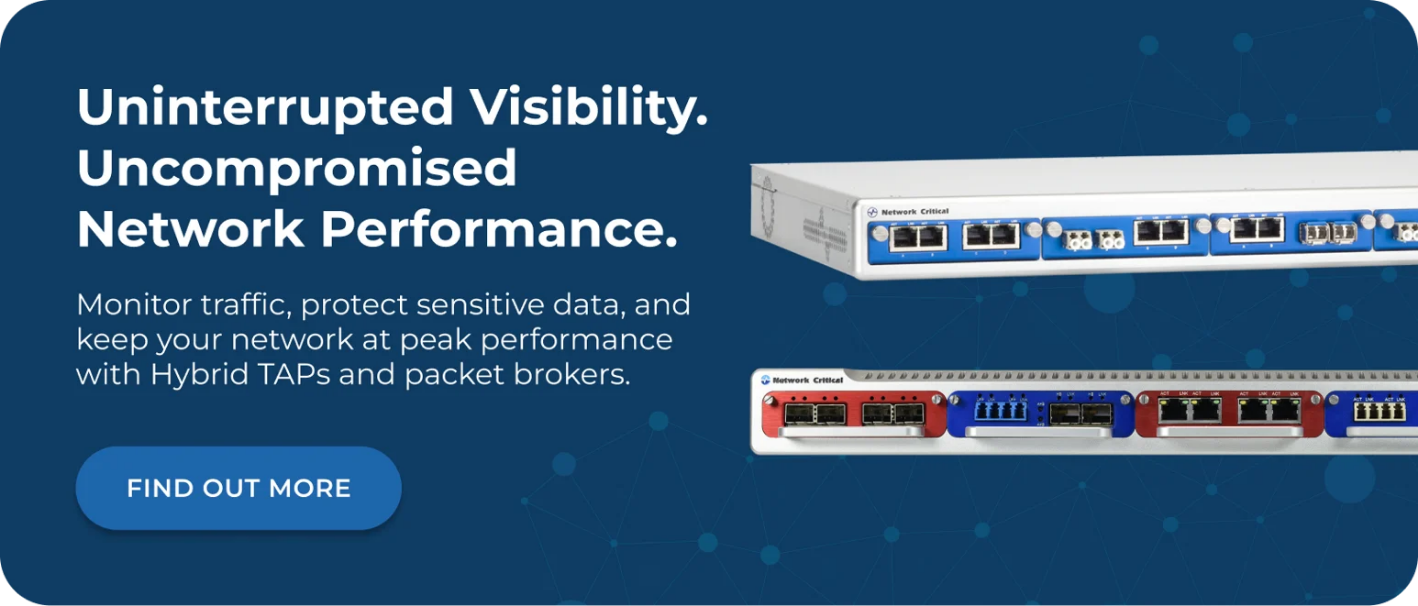
Network Critical's hybrid TAP and packet broker platforms, including the SmartNA™ and SmartNA-XL™, combine TAP access and packet broker functionality in compact 1U and 2U chassis. This reduces rack footprint and simplifies deployment, particularly in space-constrained environments.
Choosing the Right TAP for Your Network
The right TAP depends on your network infrastructure and what you need to monitor.
Fiber Networks
For optical fiber links, passive fiber TAPs are the right choice. They introduce no active components into the monitoring path, require no power, and are available for speeds from 1G through 100G. Network Critical's passive fiber TAP range covers standard LC fiber, high-density MPO deployments for 40G/100G networks, and specialized BiDi configurations.
Copper Networks
For copper Ethernet links, ethernet TAPs provide reliable full-duplex access with failsafe protection for the live link. The SmartNA™ modular system supports 10/100/1000Mb links with hot-swappable modules for easy reconfiguration, while the SmartNA-XL™ extends coverage to 10G and 40G copper connections.
Inline Security Deployments
Wherever inline security appliances sit in your traffic path, bypass TAPs protect both the network and the tool investment. Network Critical's bypass TAP modules integrate within the SmartNA-XL™ chassis, combining bypass protection with the aggregation and filtering capabilities of the full platform.
High-Speed Data Center and Carrier Environments
For data centers and service providers running 100G to 400G networks, the SmartNA-PortPlus HyperCore™ provides ultra-high-speed packet broker capabilities with 25.6 Tbps non-blocking throughput. Combined with high-speed TAP access, this supports comprehensive visibility across the most demanding network environments.
Frequently Asked Questions
What Does TAP Stand For in Networking?
TAP stands for Test Access Point. A network TAP is a hardware device that connects to a network link and creates a copy of all traffic passing through it, which is then delivered to monitoring and security tools.
Do TAPs Affect Network Performance?
No. Passive fiber TAPs require no power and introduce no processing into the live traffic path, so latency impact is essentially zero. Ethernet TAPs include failsafe mechanisms to protect live traffic, and neither type modifies or delays packets on the live link.
What's the Difference Between a TAP and a SPAN Port?
A TAP is dedicated hardware that captures 100% of traffic on a link, including errors, with no impact on network performance and no risk of packet drops. A SPAN port is a software feature on a switch that mirrors traffic but drops packets under load, strips physical layer errors, and consumes switch resources. For reliable monitoring, TAPs are the better choice.
Can TAPs Monitor Encrypted Traffic?
A TAP captures the raw traffic on a link, including encrypted packets. The TAP itself doesn't decrypt traffic, but it delivers the complete encrypted stream to tools capable of decryption and analysis. This is the correct approach, as decryption happens at the tool level where keys are managed, not at the access layer.
How Many Tools Can a TAP Feed Simultaneously?
A basic TAP has dedicated monitoring ports and can feed the number of tools those ports support. In a visibility architecture using a network packet broker alongside your TAPs, a single TAP feed can be aggregated and distributed to many tools simultaneously, with each tool receiving only the traffic it needs.
How Network Critical Can Help
Network Critical has been providing network visibility infrastructure to enterprises and high-compliance organizations worldwide since 1997. Our TAP solutions are deployed across finance, healthcare, defense, and telecommunications sectors where complete, reliable traffic access is non-negotiable.
Our network TAP range covers every access scenario, from passive fiber deployments at 1G through 100G to copper ethernet TAPs with failsafe protection and bypass TAPs for inline tool continuity. Each product is designed to deliver 100% traffic capture with zero impact on your live network, giving your security and monitoring tools the complete visibility they need.
For environments where traffic needs to be aggregated, filtered, and distributed intelligently across multiple tools, our network packet broker platforms, including the SmartNA-PortPlus™, combine TAP access and broker functionality in space-efficient 1U chassis. Whether you're building a new visibility architecture or extending existing coverage, our team can help you design a solution that delivers complete network monitoring without compromising performance or availability.