Network Tapping Explained: What It Is and Why You Need It
Network traffic moves at overwhelming speeds through modern enterprise networks. Organizations deploy intrusion detection systems, Security Information and Event Management (SIEM) platforms, network performance monitors, and forensics tools to protect and optimize these networks. Yet these specialized tools need complete visibility into network traffic to function effectively. Connecting each tool directly to every network segment creates an unmanageable tangle of connections that impacts performance and complicates operations.
Network tapping solves this fundamental challenge. It provides your network monitoring and security tools with complete visibility into network traffic without slowing down your network or creating single points of failure. Understanding what network tapping is and why it matters has become essential for any organization serious about security, compliance, and operational performance.
What Is Network Tapping?
Network tapping is the practice of accessing network traffic for monitoring and analysis purposes using specialized hardware devices. A network TAP (Test Access Point) sits between your live network connections and creates an exact copy of all data flowing through those connections. This copied traffic is then sent to your monitoring tools while the original traffic continues uninterrupted.
Think of a network TAP like a secure window into your network. It observes everything flowing past without interfering with the flow itself. The TAP makes a complete duplicate of network traffic, including all data packets in both directions (full-duplex), and delivers this copy to your analysis tools.
How Network Tapping Differs From Other Visibility Methods
Many organizations attempt to achieve network visibility using switch port mirroring, commonly called SPAN (Switched Port Analyzer) ports. While SPAN ports seem like an obvious solution, they have significant limitations that make them unreliable for critical monitoring.
SPAN ports operate within switch CPU capacity and can drop packets when traffic volume exceeds processing capacity. They also introduce performance degradation on the switch itself, potentially affecting your live network performance. Additionally, SPAN ports struggle with full-duplex traffic capture and don't work reliably across multiple switches in distributed networks.
Network tapping operates with fundamentally different advantages:
- Zero packet loss: TAPs capture every packet flowing through for complete visibility
- No performance impact: Independent operation prevents affecting live network performance
- Full-duplex traffic: Simultaneous capture in both directions without gaps
- Distributed reliability: Works effectively across multi-switch infrastructure
- No configuration required: Monitoring begins immediately upon physical connection
- Complete independence: Continues functioning even if monitoring tools fail
Core Components of Network Tapping
Understanding network tapping requires knowledge of its key components and how they work together to deliver visibility.
Network TAP Hardware
A network TAP is the physical device that intercepts network traffic. Different TAP types serve different network environments and speed requirements.
Active Ethernet TAPs work with copper networks and use electrical power to actively monitor traffic. These TAPs include heartbeat technology that enables automatic bypass functionality, ensuring network continuity even if the TAP fails. The SmartNA-XL represents this category, supporting 1G to 40Gbps speeds with advanced features like packet slicing, header stripping, and payload masking. This approach suits organizations with copper infrastructure requiring high-speed monitoring across data centers.
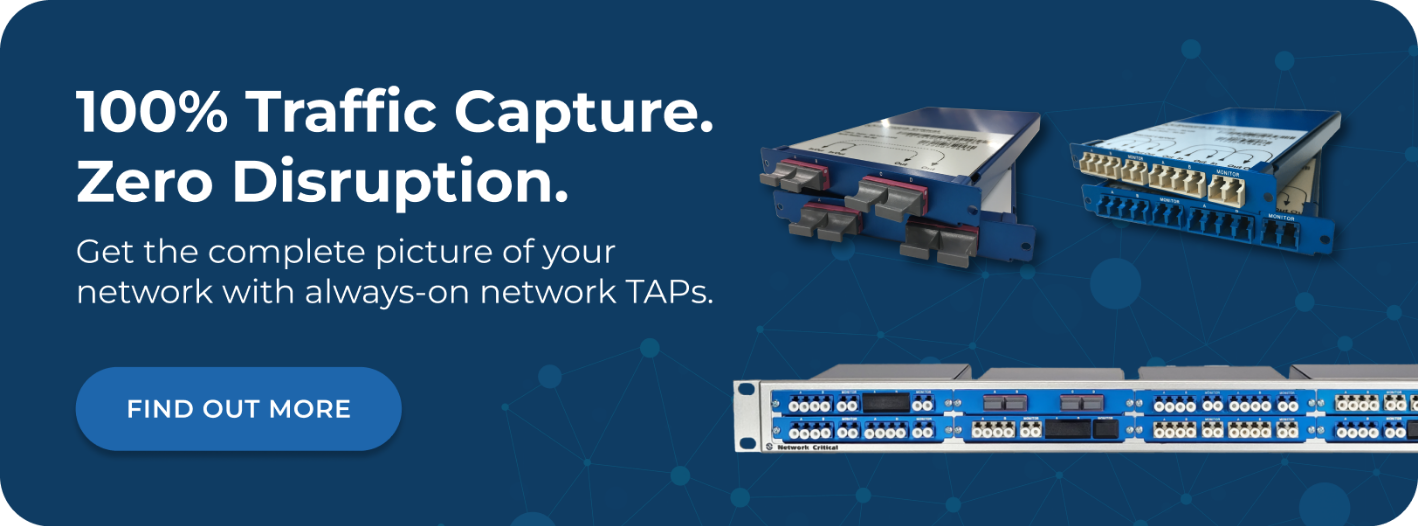
Passive fiber TAPs use optical signal splitting without requiring electrical power. These fiber network TAPs work with fiber optic cables and provide ultimate reliability since they have no power requirements and no moving parts. They're ideal for high-speed optical networks and mission-critical infrastructure where power failures cannot interrupt monitoring. Organizations with fiber infrastructure can implement monitoring without worrying about power management or device failures affecting visibility.
Bypass TAPs combine monitoring capability with automatic failover protection. If an inline security tool becomes unresponsive, the bypass TAP automatically reroutes traffic around it, ensuring network continuity during maintenance or tool failures. This hybrid approach protects against situations where security appliances become overwhelmed or require updates, eliminating the choice between monitoring and availability.
Packet Brokers for Intelligent Traffic Management
While TAPs provide visibility, network packet brokers add intelligent traffic management. Packet brokers receive the copied traffic from TAPs and apply advanced processing before forwarding it to your tools.
A packet broker aggregates traffic from multiple TAPs and SPAN ports, combining feeds into single streams your monitoring tools can process. This consolidation prevents tool overload and simplifies deployment. Instead of connecting each tool to multiple TAPs, you connect tools to the packet broker, which intelligently distributes traffic based on your rules.
Traffic filtering removes irrelevant data so your tools focus only on packets that matter. A security tool monitoring for intrusions doesn't need routine application traffic, while a performance monitoring tool needs different traffic than a forensics platform. The SmartNA series combines TAP and packet broker functionality in unified devices, providing complete visibility infrastructure in compact 1RU form factors that handle this complexity automatically.
Management and Configuration Software
Network tapping infrastructure requires management software to configure traffic rules and monitor system health. Drag-n-Vu management software simplifies this complexity with intuitive graphical configuration. Instead of manually writing complex filter rules, network administrators can visually map traffic flows with drag-and-drop simplicity. The software eliminates the need for specialist engineering personnel to manage routine configuration changes, reducing operational costs and decreasing downtime during maintenance windows.
Why You Need Network Tapping
Organizations across industries depend on network tapping to achieve their security, compliance, and operational objectives. Understanding these requirements helps clarify why tapping has become essential infrastructure.
Security Monitoring and Threat Detection
Your security tools can only detect threats they can observe. When monitoring gaps exist, attackers exploit those blind spots to establish footholds, move laterally through networks, and exfiltrate data without detection. Complete network visibility enables security teams to accomplish critical objectives:
- Identify unauthorized access: Detect suspicious login attempts and credential abuse
- Spot command-and-control traffic: Recognize communications from compromised systems reaching attacker infrastructure
- Monitor data transfers: Identify unusual patterns indicating potential exfiltration
- Reconstruct attack chains: Analyze forensic evidence from incident investigations
- Validate security controls: Confirm firewalls and intrusion prevention systems function correctly
- Detect lateral movement: Track attacker progression through network segments
Network tapping provides this complete visibility without the blind spots created by SPAN ports or switched monitoring approaches. Your security tools see all traffic, not just what fits within switch CPU capacity. This comprehensive visibility transforms your security posture from reactive (responding to detected breaches) to proactive (preventing attacks before they succeed).
Compliance and Regulatory Requirements
Regulatory frameworks across industries require organizations to demonstrate complete network monitoring and data protection. Compliance requirements like HIPAA, PCI DSS, SOX, and GDPR all mandate comprehensive audit trails and evidence of network visibility.
Regulators specifically require:
- Complete traffic capture: Proof that all network traffic was monitored and recorded
- Non-repudiation: Evidence that specific data flows occurred at specific times
- Legal defensibility: Documentation that monitoring infrastructure met technical standards
- Incident investigation capability: Ability to reconstruct network events during investigations
- Data protection verification: Confirmation that sensitive data was monitored and protected
SPAN ports create compliance gaps because they don't guarantee complete capture. Auditors and regulators specifically identify SPAN port limitations as compliance weaknesses. Network tapping provides the complete, defensible visibility that regulatory frameworks require, transforming your audit findings from "gaps identified" to "full compliance demonstrated."
Network Performance Monitoring and Optimization
Application performance directly impacts user productivity, customer satisfaction, and business revenue. When applications slow down or fail, IT teams need real-time diagnostic capability to identify root causes quickly. Network visibility through tapping enables teams to achieve multiple objectives:
- Understand normal patterns: Establish performance baselines and expected behavior
- Pinpoint bottlenecks: Identify where congestion and delays originate
- Diagnose issues in real-time: Troubleshoot problems as they occur
- Plan for growth: Identify future resource needs based on traffic trends
- Optimize applications: Fine-tune performance based on actual traffic patterns
- Validate SLAs: Prove service levels are met or identify reasons for failures
Network tapping infrastructure provides the traffic-level insight necessary to distinguish between application issues, network congestion, infrastructure failures, and external service problems. Rather than guessing about performance causes, you see the actual traffic patterns and can make informed decisions about optimization.
Types of Network Tapping Deployments
Different network environments require different tapping approaches. Understanding deployment models helps you select the right infrastructure for your organization.
Data Center Tapping
Data centers require comprehensive visibility across all infrastructure layers. In these environments, network TAPs connect to top-of-rack switches, core infrastructure, and security appliances. Data center deployments must address multiple requirements:
- High-speed monitoring: Support 40G or 100G capacity without bottlenecks
- Scalability without replacement: Grow infrastructure as network expands
- Multiple tool support: Feed aggregated data to numerous monitoring and security tools
- Redundancy: Maintain monitoring even when devices fail
- Compact deployment: Minimize rack space consumed by monitoring infrastructure
- Performance: Ensure visibility infrastructure doesn't slow production traffic
SmartNA-PortPlus and SmartNA-PortPlus HyperCore solutions address these requirements with high-density port configurations supporting up to 256 ports and non-blocking architecture that maintains performance regardless of traffic volume.
Distributed and Branch Office Monitoring
Organizations with multiple locations need visibility across distributed infrastructure without dedicating separate monitoring teams to each location. Distributed deployments require remote monitoring in branch offices, centralized analysis at headquarters, efficient forwarding across limited WAN links, and failover capability during connectivity issues.
Network tapping enables centralized monitoring of distributed infrastructure by forwarding traffic copies across WAN links to central analysis platforms. A single security team can monitor all locations from a central operations center, improving visibility while reducing staffing requirements.
Cloud and Hybrid Environment Tapping
Cloud environments introduce unique visibility challenges because traditional network TAPs don't exist in virtualized infrastructure. Organizations with hybrid deployments need tapping solutions that span both traditional and cloud environments. This requires virtual TAPs within cloud platforms, monitoring at cloud interconnection points, unified visibility across on-premises and cloud infrastructure, and direct integration with cloud platforms for traffic feeds.
Network Tapping Best Practices
Successful network tapping implementations follow proven practices that ensure complete visibility, system reliability, and operational efficiency.
Strategic Placement Across Critical Links
TAP placement determines which traffic becomes visible to your monitoring tools. Comprehensive visibility requires TAPs on multiple critical links rather than attempting complete monitoring from a single point. Organizations should strategically deploy TAPs in key locations:
- Core network links: Monitor traffic between switches and distribution layers
- Internet edge: Capture all inbound and outbound traffic to external networks
- Data center interconnects: Monitor traffic flowing between data centers
- Security appliance inputs: Ensure intrusion detection systems see all traffic
- WAN connections: Monitor traffic from branch offices and remote locations
- Critical application servers: Focus on infrastructure supporting business-critical systems
This multi-point strategy prevents the false sense of security that comes from monitoring only a few locations while leaving other areas dark.
Effective Tool Connectivity and Integration
Your monitoring tools must receive the right traffic subset to function effectively. A successful implementation requires careful attention to how tools connect and what traffic they receive. Key integration practices include:
- Separate monitoring networks: Keep traffic forwarding separate from production networks
- Load distribution: Spread traffic across multiple tool instances to prevent overload
- Targeted traffic delivery: Ensure each tool receives only relevant traffic types
- Failover protection: Configure backup connections so tools continue receiving traffic during failures
- Bandwidth provisioning: Ensure tool connections support maximum expected traffic volumes
- Capacity planning: Monitor tool utilization and expand capacity before saturation
Proper tool integration maximizes the value from both your tapping infrastructure and monitoring tools, preventing situations where tools become overwhelmed despite having access to complete visibility.
Getting Started With Network Tapping
Implementing network tapping begins with understanding your visibility requirements and selecting appropriate infrastructure. The journey typically follows a structured approach that clarifies what you need before investing in solutions.
Assess Your Current Visibility
Start by identifying where your monitoring tools lack complete visibility:
- Document all monitoring tools currently deployed and understand what traffic each one sees
- Identify specific network segments where visibility is incomplete or unavailable
- Assess how visibility gaps affect your regulatory compliance posture
- Evaluate security risks created by incomplete visibility
- Calculate business impact of performance issues you can't diagnose due to visibility gaps
This assessment provides the foundation for justifying tapping infrastructure investment and helps identify the highest-priority deployment locations.
Define Visibility Requirements
Different organizations need different visibility approaches based on their priorities. Security-focused organizations need comprehensive traffic visibility for threat detection. Compliance-driven organizations require complete capture for audit trails and regulatory evidence. Performance-oriented teams need strategic visibility on critical application paths. Most organizations benefit from a hybrid approach providing complete visibility across all priorities.
Your specific requirements determine the TAP types, placement strategy, and packet broker capabilities you'll need.
Choose Appropriate Infrastructure
Based on your requirements, evaluate tapping solutions that match your needs and environment. Consider network speed requirements from current infrastructure and planned growth. Evaluate port count requirements based on connectivity needs. Assess whether active Ethernet TAPs, passive fiber TAPs, or hybrid TAPs approaches best fit your infrastructure. Verify management and configuration software meets your operational needs.
Network tapping infrastructure represents a foundational investment in visibility that will serve your organization for years, so selecting appropriate solutions based on actual requirements matters significantly.
The Business Impact of Network Tapping
Organizations implementing network tapping consistently experience measurable improvements across security, compliance, and operational efficiency. The investment in visibility infrastructure delivers returns through reduced incident response times, improved compliance audit results, faster problem resolution, and better-informed infrastructure decisions.
Security teams report significantly faster threat detection when working with complete visibility compared to environments with monitoring gaps. Compliance teams eliminate audit findings related to incomplete monitoring coverage. Operations teams reduce mean time to recovery by quickly diagnosing performance issues rather than spending hours troubleshooting blind spots.
Beyond these direct benefits, complete visibility provides confidence that your security posture is based on comprehensive observation rather than assumptions about what threats might exist in unseen traffic. This shift from uncertainty to confidence represents perhaps the most valuable aspect of network tapping infrastructure.
How Network Critical Can Help
The visibility challenges discussed throughout this guide require purpose-built infrastructure designed specifically to overcome the limitations of SPAN ports and legacy monitoring approaches. Network Critical has provided network visibility solutions to enterprises worldwide since 1997, helping organizations achieve comprehensive traffic monitoring without compromising network performance.
Our network TAPs deliver guaranteed packet capture across speeds from 1Gbps to 400Gbps, supporting both passive fiber deployments that require zero power and active Ethernet solutions with advanced aggregation capabilities. The SmartNA family of modular platforms combines TAP and packet broker functionality in compact 1RU chassis, enabling you to deploy complete visibility infrastructure without dedicating entire racks to monitoring equipment.
Whether you're addressing monitoring blind spots, extending visibility into encrypted traffic, or building visibility infrastructure for hybrid cloud environments, our team can help you design an architecture that delivers complete network coverage while maximizing your security and monitoring tool investments.